Pinterest is a visual search engine with 600 million monthly active users who mostly come with the mindset of what to purchase next. Unlike other social media platforms, this one allows you to find the best solution for whatever you are looking for and then buy it. In fact, if you are a beginner, blogger, or digital artist, you can also monetize by following these strategies.
- Selling products
- Promoting affiliate marketing
- Creating brand awareness
To know more effective monetization techniques, this guide is for you.
Quick Notes!
- Monetization techniques:
- Sell products
- Offer Services
- Traffic and conversions:
- Pins drive long-term clicks
- Increasing sales and website visits.
- Content strategy:
- Visually appealing pins
- Keyword-rich captions
- Business growth: Bloggers, e-commerce owners, and creators can earn money that helps to expand their businesses.
- Tools and Ads: Consider posting sponsored content and using Pinterest analytics to boost visibility and ROI.
- Longevity of pins: Pins don’t go away quickly and keep generating results for months.
Can You Really Make Money on Pinterest?
Yes! Pinterest offers you a monetization opportunity, but you should keep one thing in mind that you can’t earn money by just posting images. If you want to monetize seriously, you need to prepare a strategic plan. It requires consistency, creating content that actually converts into leads, and SEO.
Important Point! You can’t solely depend on views to earn passive income on Pinterest.
Tips for Making Money Online on Pinterest
Have a look at this beginner-friendly guide.
1. Switch to a Business Account
Follow the steps below.
- Enter the login credentials of your personal Pinterest account.
Alternatively, you can go to this site: www.pinterest.com/login
- Head to the Gear icon.
- Open Settings.
- Choose Account Management.
- Look for Convert to a business account.
- Click on Convert account.
- Provide all necessary information to complete the fields. It will help you to Build your Profile.
- Click Next.
- Now, you need to Describe Your Business.
- Click Next again
You will be able to access:
→ Analytics and audience insights,
→ Pinterest Trends,
→ Creator hubs,
→ Formatting, and more.
Moreover, this professional account is specifically designed for:
- Merchants
- Creative professionals
- Publishers
- Brands.
2. Optimize Your Profile
The next step that you should keep in mind is to claim your website, which will help you to track analytics and show you the credibility. Rest, follow these strategies to optimize your profile.
- Keyword-rich Name: Make sure to mention the keyword in the business name to enhance search visibility and clarify your niche easily.
- Strategic Bio: Clearly explain your business by mentioning what you offer, and make sure to include keywords.
- Branded Visuals: Consider using your brand logo as your profile picture. Make sure to add an appropriate brand cover image.
- Connect Accounts: Integrate your Pinterest accounts with your other social media accounts to grow more.
3. Use Rich Pins
Now, we will use Pinterest’s Rich Pins. These pins will take out all the necessary information that is required, such as:
- Article headlines
- Product details, etc.
This data will automatically be attached to your pins. In addition, if you change anything on your website, Pinterest’s Rich Pins will immediately update without letting you re-pin.
Using these Rich Pins will enhance the credibility of your site and let shoppers trust the provided information.
Note: You need to enable Rich Pins first by using Yoast or RankMath for your website to add metadata.
4. Master Pinterest SEO
Always keep in mind that you should think like you are a customer, and before posting anything on Pinterest, understand the customer’s intent.
- Optimize for SEO: Consider placing the relevant and most appropriate keywords in board titles, Pin descriptions, and your Pinterest profile to increase discoverability.
Important Point! To find keywords, open Pinterest and navigate to the search section. Type your niche keywords, and here, you’ll get the suggested words. These are your high-volume keywords and indicate to you that most people are using these.
- Analyze Data: Use the Pinterest business account’s analytics to track what works.
- Create Vertical Pins: Craft engaging visuals and responsive images. (2:3 is the perfect ratio).
Pro Tip! To make a Pin on Pinterest, use 1000 x 1500 pixels. Otherwise, if you try to upload an image that is longer than the provided dimension, Pinterest will crop it.
- Include Clear CTAs: Use strategic calls to action that can drive traffic to your product or a website.
In addition, you can try using Pinterest’s Trends tool, Google Trends, or SemRush to know more about the audience.
5. Post Pins Consistently
Understand the following key strategies that will help you to maintain consistency.
- Frequency: Create 3 to 10 fresh pins daily so that you can stay consistent. It will help you to become more visible in the search.
Note: If your Pin is of high quality, valuable, and perfectly optimized, one Pin can drive better results than a dozen minimal-content posts.
- Quality: Make sure to deliver valuable and high-quality content by using visually appealing images. Include CTAs as well to boost clicks compared to impressions.
- Scheduling: You can opt for Pinterest’s Schedule Pins feature, which is free of cost and easy to understand for beginners. Also, you should use Tailwind, a paid marketing tool, so that you can automate your posts. By operating this tool, you can schedule the Pins.
- Content Variety: Try different formats, such as infographics, videos, and carousel pins, to capture the audience’s interest.
- Audience Engagement: Comment and save the user’s post to increase activity and community.
Pro Tip! Currently, there is no need to pin your old content to 10 different boards. Right now, Pinterest wants to see the newest and latest image or video that has never been on the platform. In fact, if you are linking to a new blog, prepare 3-5 different posts. By doing this, Pinterest will think that you are an active user.
6. Add Save Buttons to Your Website
When a user adds the Save Add-On extension to their site’s pages, customers can smoothly save things from the website to Pinterest. By doing this, more people can easily discover your brand. In addition, it leads to more engagement, an algorithm boost, and more sales.
7. Track Your Analytics
Note: Only Account owners above 16 years old can see the analytics.
With the help of the Pinterest Analytics tool, you can seamlessly see the complete performance of your Pins on Pinterest. After having the insights, you can easily prepare the strategy that helps you to gain better results.
The Analytics Overview page will deliver the last 30 days’ results of:
- Overall performance
- Performance over time
- Top boards
- Top pins
The metrics that you will see are real-time and can be changed anytime.
Keep in mind that these real-time analytics are not available for audience metrics.
For Web:
- Open your Pinterest business account.
- Go to the hamburger menu.
- Choose Overview under Analytics.
For Android and iOS:
- Open Pinterest.
- Set up the business account.
- Move towards your Profile picture.
- Tap on the chart bar icon.
- Choose Analytics.
If you have Pin image formats, you will be able to see the metrics, such as Saves, Pin clicks, Impressions, Follows, and Outbound links.
Moreover, if you have a video Pin format, you will see additional metrics, such as Watch time, Video views, and Average Watch time.
8. Look into Seasonal Trends
For this, consider using the Pinterest Trends tool. This tool will let you to know what the rising keywords are.
The following strategy will help you to know how you can effectively use this tool.
- Use this tool: Visit trends.pinterest.com. After that, filter out your region, age, interest, and the trend type, whether it is seasonal, growing, monthly, or yearly.
- Identify Gaps: Check the competition to see what is going on. Otherwise, you can click Related Trends so that you can craft unique content.
- Plan Ahead: Make sure to set a goal for posting the content for 4 to 6 weeks before any seasonal spike or a major holiday. You can use the yearly trend to know.
9. Test Various Pin Formats
Change the Pin format style by posting different variations, such as Product pins, videos, static images, etc.
For Image Pins: Try variations:
- Vertical image:- 1000 x 1500 pixels (2:3 Aspect Ratio)
- Square Pins :- 1000 x 1000 pixels (1:1 Aspect Ratio)
Add different text, colors, and CTAs.
For Video Pins: Consider using a 9:16 ratio to create video pins with the pixels of 1080 x 1920.
You should test differently:
- Video lengths
- Motion graphics
- Eye-catching cover images
- Text overlays
For Product Pins: You can consider taking a test:
- Different product shots, such as lifestyle or plain background.
- Video demonstration
- Different uses and angles.
10. Stay Real and Helpful
To be real, you need to:
- Share your original and unique idea.
- Maintain consistent branding
- Be transparent in collaborations
- Focus on your own style and progress.
To be helpful, you should be:
- Must include useful tips, recipes, or ideas to make the content more valuable.
- Add descriptive and clear descriptions.
- Insert relevant links to find out more information.
- Engage with your community.
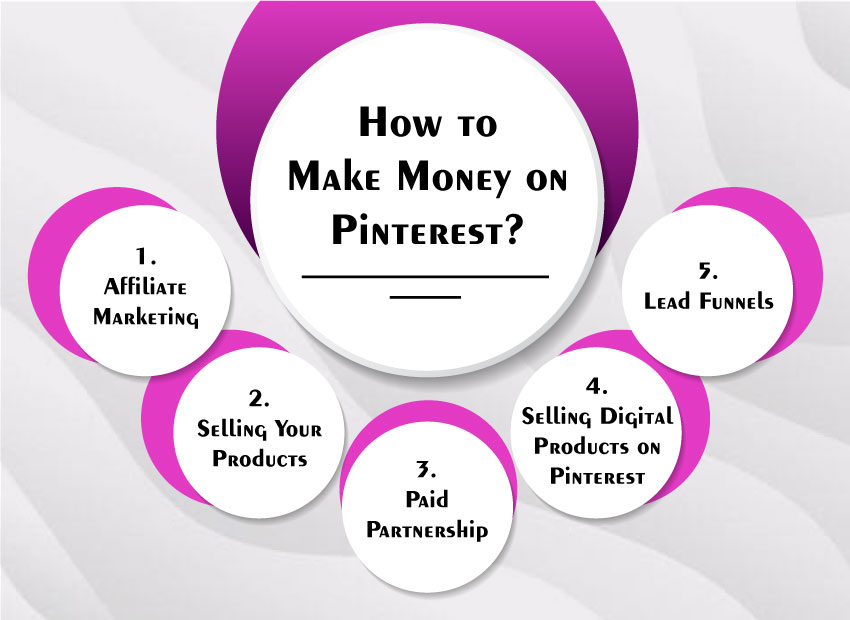
How to Make Money on Pinterest? Explained 5 Way With Examples
Now, let’s take a look at these monetization strategies along with a real example.
1. Affiliate Marketing
Affiliate links are the best way to earn money on Pinterest. These are the links when a user clicks on your pin and purchases the linked product; you will earn commission.
Check the following steps to know how you can use affiliate links.
Step 1: Join An Affiliate Program
First of all, Pinterest is not a part of any affiliate agreements. So, you need to choose its official partners, such as LTK, Rakuten, Amazon Associates US, and ShopStyle.
Note: The amount of commission you earn will totally depend on which merchant or third-party programs you’ve chosen.
Step 2: Create a Pin
Create a pin. Otherwise, you can simply take the help of the Creator Hub. After that, upload a video or an image.
Warning! It is not recommended to use link shorteners, such as Bitly, to insert affiliate links. By doing this, Pinterest’s security filters can flag your Pins. Always try to use the correct affiliate link that is connected with your landing page or website page.
Step 3: Add Necessary Information to your Pin
- Affiliate link: Create a distinctive product link with your affiliate service. After that, you need to add it to the destination link and replace it with a regular website URL. Keep one thing in your mind very clear that the link will automatically go to the shop’s product detail page.
- Title and Description: Double-check whether you’ve provided the Pin description and title is similar to the destination site page. After that, make sure that it consists of relevant keywords.
⚠️ Mandatory Disclosure As Per Pinterest and FTC Guidelines: Don’t forget to use #affiliate, #ad, or #sponsored within your Pins while posting them with affiliate links. Otherwise, your account may be suspended by Pinterest.
Important Points!
- You should aim for the content that adds original and unique value.
- All the affiliate links must be working properly.
- Mention the website or link in your profile so you don’t get flagged.
- Don’t use the same affiliate link 10 times in a row. Otherwise, Pinterest will ban your account.
Real Example:
Bloggers create a Pin about the “extra ways to earn money” or “how to start freelancing.” In the description, they mention Fiverr. When a user signs up on Fiverr after tapping on the link in the content, the blogger will earn a commission.
2. Selling Your Products
You can effortlessly sell your products by following these instructions.
Step 1: Convert Your Images Into Product Pins
Your product’s pins will consist of the price within your image or video pin.
- For Established E-commerce Merchants: Having an online website or a store is beneficial, as you just need to sync it to Pinterest smoothly. Pinterest will instantly provide you with a Product list for each pin.
- For Beginners: If you don’t currently have a big store, you can upload a product photo. After that, manually tag products within the photo. What you need to do is paste the link so that buyers can easily purchase it.
Step 2: Make Buying Easy
Keep one important point very clear in your mind: customers don’t want to hunt for your product.
- The Golden Rule: Your pin should include the link to your product so that when a customer clicks on it, he or she can directly purchase it.
- Don’t Make This Mistake: Avoid inserting the link to your home page. For example, you own an Activewear/Athleisure niche. Users tap on your pin, but he/she sees that the link is redirected to the home page rather than the product link. They will leave.
Step 3: Give Your Sales a Boost (Optional)
To sell your product faster, consider using Pinterest Ads. It doesn’t require enough funds. Simply promote your high-engagement pin so that a wider audience can seamlessly see it.
Step 4: Check What is Working
Use Pinterest Analytics to see the overall performance of your running pins.
- Look for Outbound Clicks: Number of customers who visit your store or a website by tapping on the link.
- If you see that one type of post gets more engagement, then you can prepare that type of pin.
Real Example:
A marketplace seller (small décor business owner in Jaipur) lists handmade lamps on Amazon. Instead of waiting for customers, they create a Lifestyle Pin by using Product Tagging. After that, they upload the photos, along with the tag of Boho Home Decor Inspiration. So, when a user looks for Living Room Glow Ideas, they get the pin. User clicks on the Buy Now button and is directly navigated to the seller’s store on Amazon.
3. Paid Partnership (Sponsored Content)
By doing paid partnerships, creators can earn money, and brands can easily grow their business. Both creators and brands can enhance creativity.
For Creators
It is a type of relationship where creators prepare content using a material connection as per the demand of brands, allowing them to promote products or their own brands.
Besides this, creators can also add the tag within the Pin if they have a partnership with a brand. By doing this, Pin will instantly show you a label of Paid Partnership. Once the brand approves the tag, you can see the brand’s name along with the paid partnership label.
Check out these steps that will help you to effectively use the paid partnership tool.
- Open Pinterest.
- Go to the “+” icon.
- Choose Pin.
- Add one or more videos or photos.
- Choose Next.
- You can also capture a new video or photo by tapping on the camera icon.
Pro Tip! Adding multiple photos or videos will automatically combine them in a single Pin.
- Navigate to the Menu bar.
- Here, edit your Pin and then tap on Next.
- Enter all the necessary information about the Pin.
- Head to Advanced Settings and tap on >.
- Enable Add paid partnership label.
- Choose Add a brand partner.
- Look for the brand partner you want to add.
Note: Only one brand is allowed to tag per pin.
- Tap on Add.
- Tap on <.
- Lastly, check your Pin once and tap on the Create button to publish your pin.
After publishing the pin, you can see only the paid partnership label without the brand’s name. Then, the brand will receive a tagged request after publishing the pin. And it totally depends upon them to approve or decline the tag. If the brand gives you approval, you can see the brand’s name along with the paid partnership label.
Real Example:
A creator partners with Netflix to post Outfit inspiration pins on the basis of characters from the trending shows. With the help of the Paid Partnership tool, the creator will be able to earn a flat fee from Netflix. And the content will drive the engagement and excitement level for the new release.
For Brands
After posting the Pin on Pinterest, brands will get an email notification. To accept the request, go through these instructions.
- Type down your login credentials to open your Pinterest business account.
- Go to the bell icon.
- Check the tagged notification that you received from the creator.
- Click Pin to approve the tag.
Note: Only applicable for desktop.
If a brand or creator wants to remove the paid partnership label, they can do so without difficulty at any time. But remember that by doing this, you won’t be able to add the tag back.
- Go to the Pin.
- Open it.
- Click on three horizontal dots.
- Choose Remove Partnership.
- Select Remove.
Real Example:
Netflix collaborates with popular DIY creators or influencers to strategically promote new series or shows even before they release. For example, a creator creates an 80s-inspired room makeover Pin by tagging Netflix via the Paid Partnership tool. After approving the Pin, Netflix makes sure the content is fully aligned with the show or movie. By doing this, the collaboration has become official, and Netflix drives massive viewership as well as buzz.
4. Selling Digital Products on Pinterest
This is one of the best and most effective monetization strategies on Pinterest. Creators and businesses can easily sell courses, e-books, templates, and printable directly with the help of the Pinterest Shopping and Pins features.
How Does Pinterest Allow Selling Digital Products?
- Pinterest Shopping and Catalogs: Sellers just need to upload digital products into the shopping system of Pinterest. As a result, it makes them more discoverable through Pins.
- Affiliate Marketing: Creators can easily link to digital products of theirs or brands and then earn money.
- Creator Inclusion Funds and Paid Partnerships: Pinterest gives rewards to those creators who earn money from direct sales and brand deals.
Key Points to be Considered!
- You should choose a unique niche to gain more traffic.
- Before selling the digital products, you should know about Pinterest’s commerce policy.
- Consider using the conversions API and Pinterest Tag to evaluate sales results accurately.
Real Example:
Graphic designers create Instagram Aesthetic Templates on Canva. After that, they share “how you can edit templates” as Pins. When a buyer taps on the Pin, it will automatically be redirected to the designer’s website, from where they purchase and instantly download the template.
5. Lead Funnels
There are three levels that every business or brand must follow.
- Build awareness
- Drive consideration
- Get conversions
Now, let’s elaborate on each level to know how lead funnels work on Pinterest.
For Building Awareness (Top-Level Funnel):
Awareness is the top-level funnel that has a prime goal to let people know about your brand or whatever you are offering.
In addition, reach out to those individuals who want to explore new ideas and inspiration.
To grab the attention of customers, consider using a video format pin.
Pro Tip! Make sure to use CTAs, such as “Learn More, Discover more, Find out how,” etc., to get 10x higher awareness.
For Driving Consideration (Mid-Level Funnel):
This is the second or mid-level funnel. At this stage, you need to make people ready to seriously think about your product or whatever you are offering. However, they already know that your brand exists in the market.
Besides this, your main goal is to generate traffic from landing pages, websites, or product listings. By doing this, individuals can know about what you are offering, and it inspires them to take action.
For Getting Conversions (Bottom-Level Funnel)
You just need to connect with people who have shown interest or have visited your website/store. After that, understand the goal of conversion—what you want. Then, Pinterest will automatically optimize the cost spending.
Apart from that, when you upload your product feed, Pinterest will automatically convert it into Pins without the need for manual work. Next thing, Pinterest will showcase your products or offerings to the person who has the same interests.
Real Example:
HubSpot offers a free Website Grader tool. Users mention their website URL along with their email ID to get the free report. Now, HubSpot has the data, and later on, they will nurture them into paying customers.
How Many Followers Do You Need To Earn?
There is no need to have a specific number of followers to make money on Pinterest. But a few factors are there that only matter:
- Niche relevance
- Engagement
- High-quality and optimized content, such as:
- Pins with visually appealing
- Clear call to actions
These factors help you to drive sales via product pages or affiliate marketing.
But keep a couple of points in your mind very clear:
- Some companies have a minimum follower requirement. For example, they may set it so that the user who has more than 800 followers can partner with us.
- If you are not meeting the minimum follower count, it’s okay. You can also earn money by following these strategies:
- Outbound clicks: Grabbing the attention of users to click your Pins. As a result, it will lead to visiting your affiliate links, website, or blog pages.
- Valuable content: You can create problem-solving pins, such as tips, recipes, or tutorials. Otherwise, you can inspire users by showing them lifestyle guides, design ideas, etc.
Why Follower Count Isn’t the Key
People use Pinterest to find ideas rather than following individuals. Thus, your content will be seen by a wider audience if you have posted relevant and fully optimized content.
Best Niches for Pinterest Earnings
It is necessary to pick the best niche so that you can maximize the Pinterest earnings.
Home, DIY, and Organization: This niche is the best, as it consists of before-and-after transformations and tutorials. Users mostly look for:
- Organization tips,
- Cleaning hacks
- Storage ideas
- Beginner-friendly DIY projects, and so on.
Food, Recipes, and Meal Preparation: This niche solves daily problems and perfectly works for video and blog pins. In addition, it consists of:
- Quick dinners
- Slow-cooker recipes
- Meal preparation plans
- Cost-effective ideas
- Holiday menus
Beauty, Fashion, and Lifestyle: By having this niche, you can easily do affiliate marketing. Moreover, it is perfect for:
- Seasonal lookbooks
- Finding outfit ideas
- Skincare routines
- Curated product lists
- Capsule wardrobes, etc.
Personal Finance, Budgeting, and Planning: Whether you are a printables creator, blogger, or anyone who is offering digital tools to assist users, this niche is the best. In addition, most people look for:
- Saving challenges
- Budgeting tools
- Planners
- Debt-payoff strategies
- Side hustle ideas
Digital Products and Online Business: By selling digital products, users can save their time. These products consist of:
- Checklists
- Templates
- Canva-based products
- E-books, etc.
Free Tools You’ll Need To Make Money on Pinterest
The following are the free tools that will streamline your Pinterest workflow.
| Tool | Purpose | Key features | Best use case |
| Pinterest Business account & Analytics | Measure performance | Impressions, saves, outbound clicks, top Pins/boards | Track what drives traffic and enhance content strategy. |
| Pinterest Trends | Keyword and timing insights | Rising topics, seasonality, audience interests | Plan content calendars and use high‑intent keywords. |
| Pinterest Pin specs & creative best practices | Design guidance | Image ratios, file sizes, text overlays | Create vertical, visually appealing Pins that meet specs. |
| Canva (free tier) | Visual creation | Templates, brand kits (basic), text overlays | Quickly produce flawless vertical Pins and image Pin covers. |
| GIMP | Pro‑level image editing | Layers, masks, filters | Advanced edits for photos and graphics without costs. |
| Photopea | Browser‑based editor | PSD/AI support, smart objects | Edit designs online without installing software. |
| Squoosh | Image compression | Quality control, format conversion | Reduce file size for faster loading and better CTR. |
| TinyPNG | Image compression | PNG/JPG compression | Speed up pages linked from Pins (improves user experience). |
| Remove.bg (free credits) | Background removal | AI cutout, bulk options (paid) | Clean product/lifestyle graphics for shoppable Pins. |
| Google Campaign URL Builder (UTM) | Tracking Pin performance | UTM parameters for source/medium/campaign | Attribute conversions to specific Pins in analytics. |
| Google Analytics (GA4) | Traffic and conversion tracking | Events, funnels, attribution | See which Pins and pages convert; optimize offers |
| Google Search Console | Site performance | Indexing, search queries, Core Web Vitals | Ensure landing pages rank and load fast for Pinterest traffic |
| Bitly (free tier) | Link management | Short links, basic click tracking | Clean CTAs in descriptions and track off‑Pinterest clicks. |
| Colors | Color palettes | Palette generator, brand kits | Keep Pins cohesive and on-brand. |
| Hemingway Editor | Copy clarity | Readability scoring highlights complexity | It improves Pin titles, descriptions, and blog CTAs. |
How Much Do People Actually Make?
You must be curious about how much money they make on Pinterest.
First of all, it totally depends on the chosen monetization strategy.
For example, creators can earn $500-$5,000+ per sponsorship. If we talk about the micro-earnings, creators can also get a few dollars when they promote the business or the owner’s product by doing affiliate marketing.
Common Mistakes Beginners Make
Beginners, while trying to earn money on Pinterest, make some mistakes. Let’s see what they are.
- You may be using poor-quality pins that are stopping you from getting high engagement and conversion rates.
- Beginners may have ignored SEO, which can be the prime reason for not being able to earn money.
- You are not pinning on a regular basis. In short, you pin 50 posts a day. And the next day, you don’t pin a single post.
- There is no specific niche while creating pins. You are posting Pins on multiple niches.
- You have inserted direct affiliate links to your posts rather than inserting your website or store’s product page.
- You have ignored the mobile users. It means that if you are using a very small font, mobile users won’t be able to read your pin properly, which leads them to skip your pin.
- Beginners are using horizontal images instead of vertical ones.
Conclusion
Are you a beginning user and want to know how to make money on Pinterest? You just need to pick the best and most appropriate niche. After that, create an eye-catching pin to grab the attention of your audience. Keep one thing in your mind: be consistent and post daily. Moreover, the pins that you have created should be of high quality. Otherwise, making money may be difficult for you. By following the best practices, you will be able to convert Pinterest into a reliable source of income.
Commonly Asked Queries And Their Solutions
Now that we have already provided you with the basic information on making money on Pinterest. Let’s dive in!
Q1. Can I earn money on Pinterest without a website?
Ans. Yes! You can easily make money on Pinterest without having a website. You just need to follow these strategies:
- Affiliate Marketing
- Sell Digital Products
- Pinterest Management/VA, and much more.
Q2. How long does it take to make money?
Ans. You can see the initial growth within 1 to 3 months. And the genuine progress can take up to 6 months if you are creating optimized pins and following a planned strategy. Note that there is no fixed timeline for monetizing on Pinterest.
Q3. Is Pinterest monetization free?
Ans. YES! Mostly, Pinterest monetization is free. You just need to pay the money when you want to run paid promotions on Pinterest.
Q4. Which is better: affiliate or product selling?
Ans. It depends upon your choice.
- For affiliate marketing: Best for beginners who want low risk. They just want to earn commissions.
- For product selling: Best for successful creators who have a huge amount of capital, a unique idea, and want to earn maximum profit.
Q5. Can you make $100 a day with affiliate marketing on Pinterest?
Ans. Yes! It is easy to earn $100 per day by doing affiliate marketing. Key steps to know:
- Pick a profitable niche, such as unique home decor items.
- Look for good affiliate programs.
- Create high-value pins.
- Drive traffic and convert.
- Be consistent and firm.
Q6. What are the best Pinterest niches for income?
Ans. There are various niches that are suitable for you to earn money on Pinterest.
- Food/Recipes
- Home Decor
- Fashion
- Travel
- Personal Finance
- Wellness and Fitness
Q7. Can you make money on Pinterest by posting pictures?
Ans. NO! You can’t monetize by posting photos directly. But understand that very clearly: your photos must include affiliate links or sponsored content to monetize by posting pictures.
Q8. How many followers do you need on Pinterest to start making money?
Ans. Followers do not put any impact on earning money on Pinterest. What matters is engagement, fresh pins, consistency, optimized content, and specific niches.