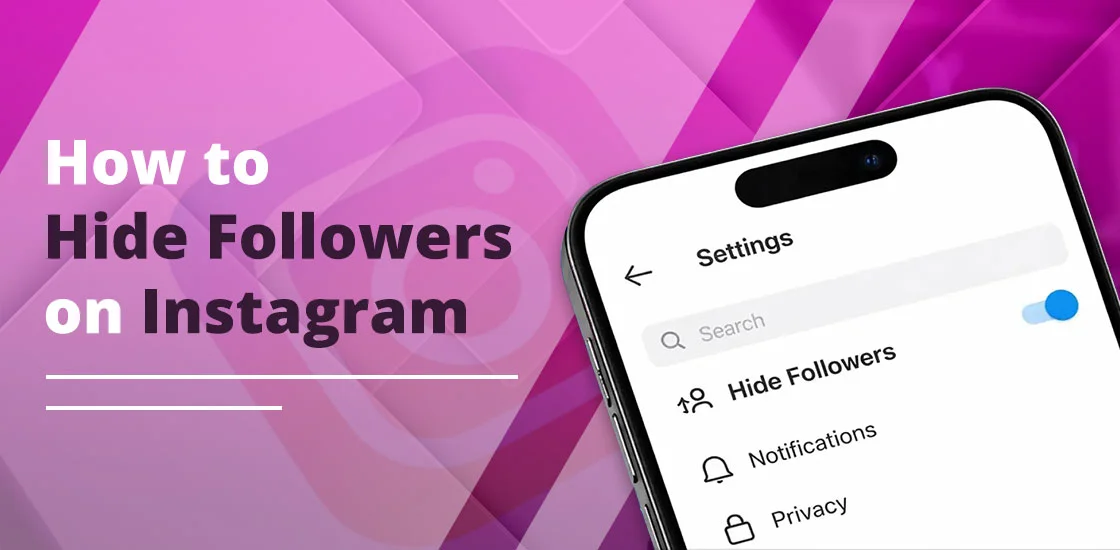
As of 2026, there is no official and direct button to hide your followers from your friends on Instagram. However, I have tried some methods that work and make my followers’ lists private. These are:
- First, try to switch your public account to a private one.
- If you already have a private account, consider removing the users one-by-one that you don’t want to see your following lists.
- Blocking is another option. It can only be done in an individual chat.
By following these approaches, my followers’ lists are more secure. Just remember that if you find any third-party apps that claim to do so, avoid using them. However, they casually show off, but in real life, they steal your personal data.
This in-depth guide will provide each step in detail with my personal experience so that you can be more aware.
Quick Recap!
- You can restrict accounts that limit interactions without blocking the user.
- Consider using the Close Friends feature to share a story with more privacy.
- Creators and Business profiles can’t have a private account.
Can You Hide Your Followers on Instagram in 2026?
NO! There is no way to completely hide your followers’ lists, even from your friends on Instagram. What you can do is account for privatization. By setting this up, only your approved followers can see the total counts of following and friends. Besides this, there is no universal option to turn off your followers list.
Pro Tip! As of mid-2025, Instagram has been testing a feature that lets users hide their followers’ list from mutual or approved friends. I have seen that user-reported observations say the same thing. However, Instagram has not officially rolled out this feature yet.
How to Hide Followers on Instagram
Note that teen accounts will be private by default, as stated by Instagram. Besides this, if you are under 16 years of age, you will need permission from the Meta Family Center to make your account public. Moreover, users who are aged 16-17 can easily change their settings unless they have created supervision with their guardian.
Follow these workarounds.
- Open your Instagram Profile on your device.
- Tap on the three-line menu or More.
- Choose Settings and Privacy.
- Scroll down a bit to find Who Can See Your Content.
- Here, you will see Account Privacy.
- You need to turn on the Private Account option.
- A new pop-up appears on your screen where you need to tap on Switch to Private to confirm.
These steps will not work for business profiles. However, these business accounts can’t be private. While trying to hide your followers on business accounts, Instagram prompts you to switch to a personal account. And when you do this, make sure to export all your analytics. As stated by Instagram, when you go back to a personal account, you’ll lose all access to Meta Ads Manager, Meta Business Suite, in-app insights, and even ads.
Pro Tip! Your current followers can easily see your list, and you have access to whom you want to show your friends by approving them. Plus, users will be able to see the mutual friend list even when they are exploring someone’s private profile.
How to Hide Followers from Specific People (Without Blocking)
You can simply remove the user you find to be spam or a bot. To do this, follow the listed steps.
- Launch Instagram.
- Come to your Profile.
- Tap on your Followers list.
- Choose the person who may be spam, a fake account, or even a bot.
- Tap on Remove.
- Confirm you are removing the particular person.
This process is known as silent removal. Instead of blocking, the removed individual can still view your public profile. Plus, private account holders have a benefit: those who don’t follow can’t see their follower lists.
How to Hide Followers Without Setting Your Account to Private
You can block or restrict the users. To know, follow the steps.
By Blocking the Specific Person
- Open Instagram.
- Tap on your friend’s username. You can either go to the chat section, story, or post feed.
Alternatively, search for their name.
- Tap three horizontal dots.
- Choose Block.
- Also, you can opt for the block new accounts too. (Optional)
This method only works for the individual profile. By blocking the user, you have completely hidden your followers list.
By Restricting Users
- Open the Instagram app.
- Come to the Messages section.
- Choose the person from your chat list whom you are willing to restrict.
- Head to your friend’s Profile by tapping on the person’s name.
- Tap on three horizontal dots.
- Pick “Restrict” from the list.
- Tap on Restrict account to confirm.
Key Points to be Noted!
- The other person won’t be able to see when you are online.
- You will not get any notifications for whatever they have commented.
- The restricted will stay in your follower list. Plus, by restricting them, they can see your follower list.
Basic Overview!
This table will clear all your doubts.
| Feature | Blocks List? | Notifies User? | Best For… |
| Private Mode | Yes (to non-followers) | No | Personal Privacy |
| Blocking | Yes (total) | No | Safety/Harassment |
| Restricting | No (they see the list) | No | Avoiding Drama |
| Removal | Yes (if you’re private) | No | Cleaning your list |
Restricting vs. Blocking: Which One Actually Hides My Activity?
Here is the tabular information on which you should choose to hide your followers.
| Feature/Impact | Restrict | Block |
| Primary Purpose | It limits interaction without notifying the other person. | It completely cuts off conversation and visibility. |
| Visibility of Followers List | Restricted users can still see your followers/following list if you are using a public account. If private, they only see mutuals. | Blocked users are unable to view your followers/following list at all. |
| Comments Control | Their comments on your posts are only visible to them. You need to approve that first. | Users will not be able to comment. |
| Messages (DMs) | Their messages are sent to your “Message Requests” folder secretly, without any alerts. | These blocked users cannot send you any message at all. |
| Profile & Activity Visibility | Restricted users can view your public content, but their comments remain invisible to others, and they cannot see your ‘Active‘ status or read receipts. | Blocked users can’t see your posts, stories, or activity, no matter what the account type is. |
| Detection by Other Person | It is harder for them to notice, as they may assume that you’re just less available. | Very obvious, as they’ll know they’ve been blocked because your profile goes away. |
| Effect on Hiding Followers | It does not hide followers effectively. Restricting only limits engagement, not visibility of interactions. | It hides your followers effectively, since blocked users don’t have any access to your profile data. |
| Best Use Case | When you want to bypass confrontation but still keep minimal ties (e.g., friends or coworkers). | When you are willing to add total privacy and to hide your followers/activity from your friend’s list completely. |
Expert Tip! Consider blocking and switching to a private account together to effectively hide your followers and activity.
Why do Lists Sometimes Show “No Results”
There are some reasons why your friend’s list is not showing you any results.
- Instagram Safety or AI Restriction: There are various accounts that get their lists hidden due to Instagram’s automated predictions. Moreover, it is a specific safety feature that is actually triggered by Instagram’s automated systems. And users are not able to manually turn it on.
- Applied to Certain Accounts: Content Creator Tester Groups, Engagement Groups/Pods (“Mods”), or minors might see that their lists are hidden. However, this feature is usually placed for teens to prevent them from exploitation.
- Flagged for Unusual Activity: Instagram has observed that on your account, there are rapid follows or unfollows, just like spam behavior is occurring. By doing this, hidden follower lists have been triggered.
Are Third-Party “Follower Hider” Apps Safe to Use?
NO! Third-party apps that claim they will hide your Instagram followers smoothly are not safe to use. As per the official Instagram API, it clearly states that Instagram doesn’t offer any authorized third-party tools that can hide your friends’ lists.
Why These Apps Are Considered Risky:
- Various third-party apps need your login information, which can be hacked or even stolen.
- Your account may get a temporary or permanent ban for using unauthorized third-party apps. However, it violates Instagram’s Terms of Service.
- These third-party apps may collect and sell your personal data to other third parties or advertisers.
- They often use fake reviews to grab the attention of users or represent themselves as an authorized app.
Common Myths & Realities
Let’s discuss the following myths and realities.
Myth 1: I Have a Private Account That Hides Followers From Everyone.
Reality: A private account only hides from non-followers. Plus, only your approved followers can see your following and followers list. So, what you can do is audit your lists regularly and remove those users who don’t want to see your list.
Myth 2: By Restricting a Particular User, Your Follower List Will be Hidden.
Reality: The restricting feature only manages your DMs and comments. They can still see the comments, posts, and even post activities. Therefore, if you don’t want to show your followers’ list to them, remove or block them.
Myth 3: Using Third-Party Apps to Hide Your Followers Easily.
Reality: Instagram doesn’t have a legitimate third-party app that can hide your followers’ list. If any app that claims to “hide followers lists” is a scam, a fraud, phishing, or attempting scams. However, it may impact your account privacy. So, never opt for them; just use Instagram’s built-in features.
Myth 4: I Have Blocked Users So They Don’t See My Posts
Reality: Blocking on Instagram means the blocked user will lose every access to see or even send a message to you.
Myth 5: You Can Hide Your Follower Counts
Reality: You are only allowed to hide the total counts on your posts, but Instagram doesn’t have an option to hide your follower numbers.
Myth 6: I Have Set Up a Professional or a Business Account to Hide My Followers
Reality: Creators and Business accounts have fewer privacy options, as they are designed for engagement and public reach. That’s why you are not able to hide your follower lists.
Best Practices for Instagram Privacy
Check out the best tips and tricks to effectively protect your Instagram account.
- Go Private Mode: Switch to a private account and protect your profile from unwanted attention. Plus, non-followers will not view your followers or following lists.
- Remove Unwanted Followers: You can remove unwanted followers even if you have a private account. By doing this, your friend’s lists will no longer be available.
- Use Close Friends: Consider using the Close Friends feature to upload a story for more privacy.
- Block Specific Users: If you don’t want to make your account private but are still willing to hide your lists, simply block individuals separately without worrying about alerting them.
Common Questions and Their Answers
We have prepared some important questions so that you can effortlessly hide your followers on your Instagram account.
Q1. Why can’t I see the followers of someone I follow on Instagram?
Ans. There are a number of reasons behind this.
- Users have changed their privacy settings.
- You are using a teen account.
- Instagram’s community has restricted you for safety purposes.
Q2. Can you hide your friend list from friends on Instagram?
Ans. NO! Instagram doesn’t have an in-built feature to hide your followers from the people you are actually following. However, you can only remove or block the specific friend you do not want to see on your friend list.
Q3. Why is Instagram limiting me from seeing someone’s followers?
Ans. Instagram is restricting access to your friends’ follower lists to prevent bot activity, spamming, and frequent profile checking.
Q4. Can someone restrict you from seeing their followers?
Ans. NO! When you restrict someone on your Instagram account, they can still see the number of followers in the list and whom you are following. However, the restriction works only on chat activity and comments.
Q5. How to see the hidden following list on Instagram?
Ans. You can do one thing if you want to see the hidden following list.
- Simply send the friend request.
- Wait till they have accepted your friend request.
Security Note: If you have previously logged into a third-party platform like the ‘follower tracker’ app, your account may be compromised. Go to Settings and Activity > Website Permissions > Apps and Websites to revoke access to any unauthorized tools immediately to protect your data.
Q6. How to hide followers in a public profile?
Ans. Unfortunately, Instagram doesn’t allow users to hide their followers on a public account. So, the best way is to consider switching to a private one. By doing this, only your approved followers can see.
Q7. How do I hide my followers from a specific person?
Ans. If you don’t want that particular person to see your followers, I recommend you to block or remove them.
Q8. Does Instagram notify others when you hide your follower lists?
Ans. NO! Other people will not directly know that you have hidden them, as Instagram doesn’t send notifications regarding it. But they can get to know when they are checking it manually.
Conclusion!
There is only one option to hide your followers by limiting your account visibility. It means that you can make your private account so that only your approved followers can see the list of your friends. Moreover, if you are finding any third-party apps that claim to do this, avoid opting for them. However, these are totally fake, and they just want to use your personal information for their own work.
Now, you’ve learned how you can hide your followers on Instagram. So, make your account private and start limiting your account visibility.