After publishing a blog and getting it indexed, you are obviously curious to check your blog’s ranking on Google’s first page or whether it gets cited in Google AI Overviews.
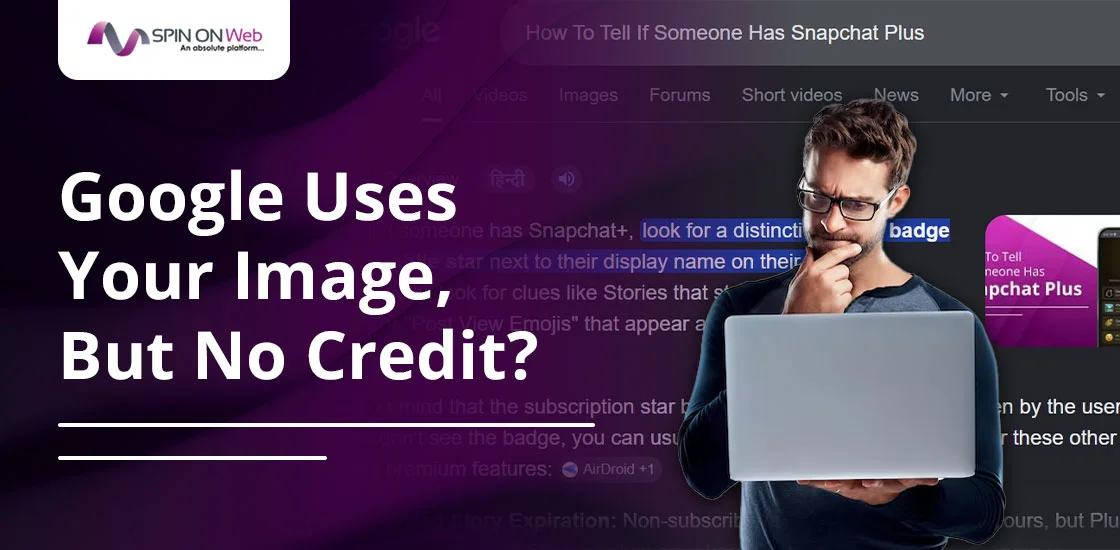
When you check your target keyword in an incognito window and see your blog’s custom featured image inside Google’s AI Overview box, you feel happy at first. But then you look to the right.
What if Google only cites competitors’ sites over yours, and your URL isn’t showing in the text carousel or clickable citation cards, while your page gets pushed lower in the standard organic results?
It can be frustrating, right?
Well, this kind of scenario is becoming increasingly common in modern SEO. But the real question is this: why does Google use your visual asset while completely ignoring your URL for the text citation?
In this post, I will explain the likely answer and also share step-by-step reasons and practical solutions that you can implement.
Quick Answer
Google AI Overviews can display your featured image without citing your blog URL because Google may evaluate images and written content separately.
Your image may be featured if it closely matches the search intent and is optimized with descriptive filenames, alt text, Open Graph tags, and ImageObject schema.
Your URL may be skipped if another page provides a clearer, more authoritative, more snippet-friendly, or easier-to-extract answer for the AI-generated summary.
Google also looks for answer-first content, concise writing, strong E-E-A-T signals, helpful page structure, and a close connection between your images and the related text.
To improve your chances of getting an AI Overview citation, add a quick answer section under the H1 of your blog, write direct answers, and keep relevant images close to the content they support.
What AI Overviews are
AI Overviews are a Google Search feature that can appear at the top of the results when someone searches for a query.
For example, if you search on Google for “tell me about spin on web,” Google may show a summary answer along with citation links to helpful sources.
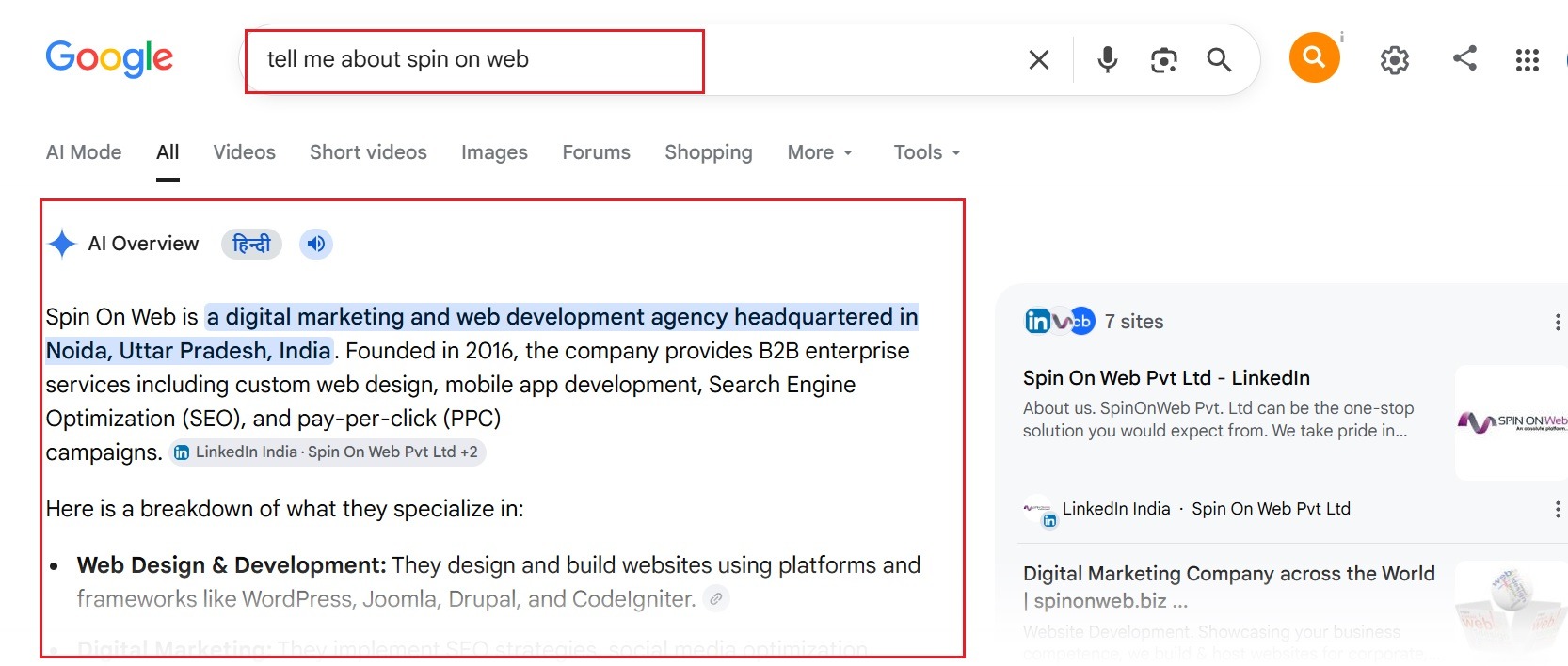
This feature can cite multiple source URLs, and it can also show media like images and videos.
This feature was first introduced by Google as the Search Generative Experience (SGE) at Google I/O in May 2023, and it was later officially branded as AI Overviews before launching broadly in the United States on May 14, 2024.
Why My Feature Image Appears in AI Overviews
When I searched for my keyword, “How To Tell If Someone Has Snapchat Plus,” (which I uncovered during my initial keyword research for SEO), I was happy to see my blog’s featured image appear in Google AI Overviews. But when I looked at the carousel and clickable citation cards, Google showed competitor pages like wikiHow instead of my own URL.
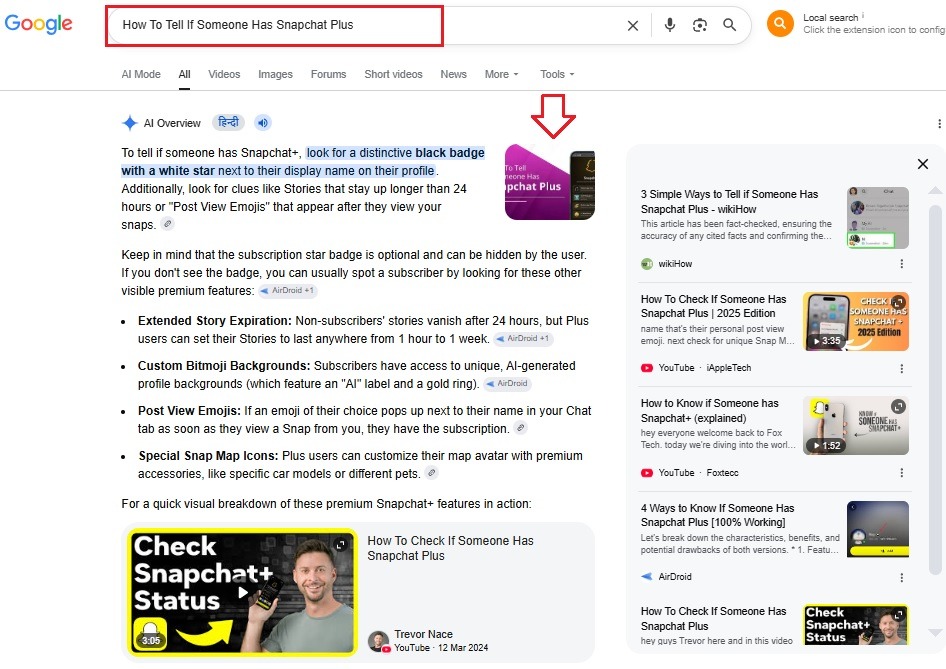
My website was not completely ignored.
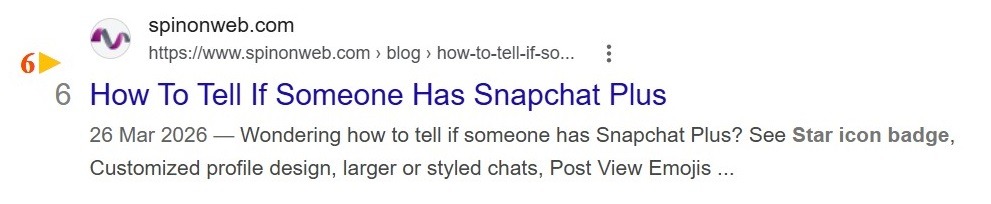
It still appeared on the first page of Google, but it was pushed down to position 6 in the organic results. That tells us something important: ranking on page one does not always mean your page will be cited in AI Overviews.
Why does this happen?
Google seems to treat the image section and the citation section as two different things.
My featured image matched the query well enough to appear in AI Overviews. However, the page still lost the citation spot to another source that Google may have considered more useful, clearer, more trustworthy, or easier for passage extraction.
Image relevance matters
This featured image appears because it is visually relevant to the topic. As the image matches the query intent, Google may use it as a quick visual cue even if Google does not see the page itself as the strongest source for clickable citations.
Relevant structured data and image signals
Another reason could be the use of ImageObject schema and proper image SEO for the blog.
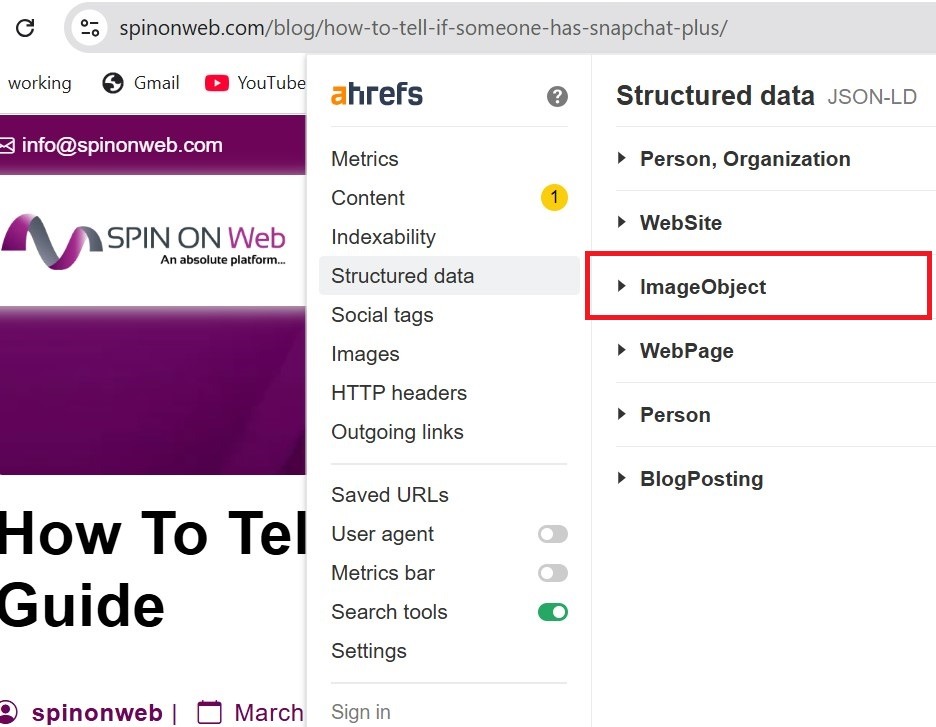
It helps by giving search engines more machine-readable information about an image, such as the author, licensing, dimensions, caption, and preferred page image.
Apart from schema, I also made sure my Open Graph og:image tags were set correctly. While these tags are mainly used by social media platforms for link previews, they also help search engines understand the main visual representative of the page.
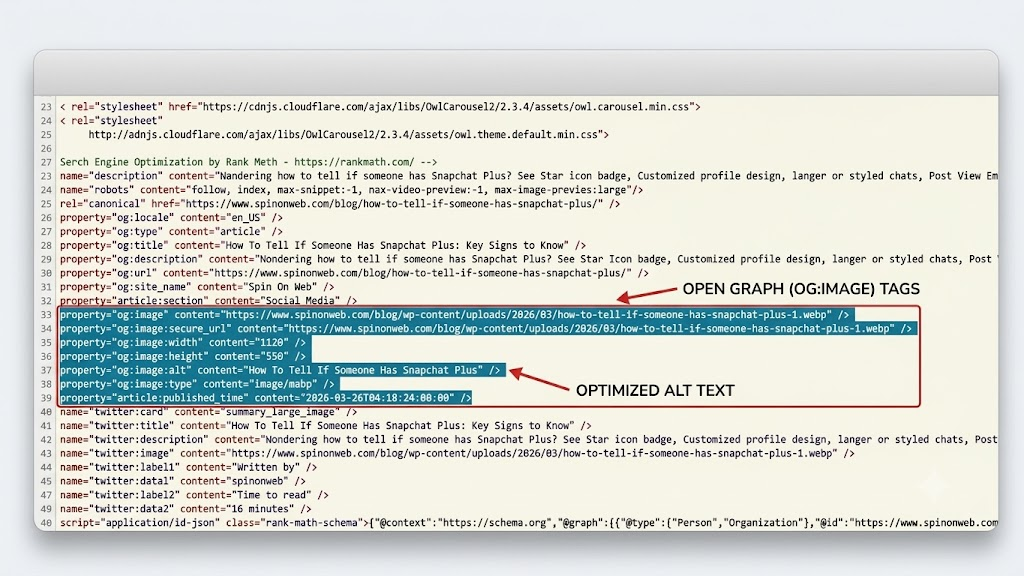
Because my image had clear visual relevance, optimized alt text, a descriptive filename like how-to-tell-if-someone-has-snapchat-plus-1.webp, and close topical relevance, Google picked it up as a quick visual cue.
What It Means When Image Wins but Your Link Loses
When I saw this on my own screen, it felt like a mixed blessing for me.
My website was not completely invisible, but it showed me something very clearly about how modern Google Search and AI Overview visibility work.
Google may treat a webpage as two separate assets:
- Visual asset
- Text asset
The image system may decide that your custom graphic is the best visual match to support the query and show it in the AI Overview.
But at the same time, the text generation and citation system may decide that a competitor’s page is easier to read, easier to summarize, more direct, or more citation-eligible.
That is why Google may show your image while giving the clickable citation card to another page.
4 Reasons Google AI Snaps Up Image But Skips Text
After deeply analyzing my original Snapchat blog post and comparing it with the type of content that Google tends to cite, I found four likely reasons why this happens:
1. My text layout had a formatting gap
Google’s AI prefers short, direct, plain-text answers that it can understand quickly. In my original blog, I included introductory text and conversational hooks before jumping into the core details. The AI system often seems to prefer pages that provide a direct answer right away.
2. There was a disconnect between text and visuals
While my featured image sat proudly at the top of the post, my actual paragraphs explaining the exact steps were further down the page. Because of this distance, the crawler may not have drawn a tight connection between the image and the supporting text.
3. I was missing direct snippet-friendly sentences
AI Overviews often favor objective, neutral, declarative sentences. If a blog post becomes too conversational or includes too much fluff, it becomes harder for an automated engine to cleanly pull it into a summary box.
4. The trust filter and E-E-A-T mattered
Google’s systems apply a strong trust and authority filter. For highly competitive informational queries, if a trusted domain like wikiHow has a similar answer, Google may feel safer using that page for the text citation, even if it prefers your original image for the visual block.
The Fix: How to Increase the Chance of Getting Your URL Cited
After identifying these specific reasons for my citation issue, I developed an optimization roadmap. Whether you are facing the same frustration or just want to strengthen your AI Overview optimization strategy, here is the step-by-step plan I am implementing.
Step 1: Deploy an answer-first text card
You must provide the direct information clearly and do not make crawlers hunt for it. Right below your H1 or featured image, give a concise 1-to-2 sentence summary of your blog that answers the main query instantly.
This acts as a strong hook for users and may also improve your chances of becoming a more citation-friendly source.
Step 2: Tighten image-to-text proximity
You must ensure that your layout places your featured image directly alongside or immediately above your answer-first text. When the crawler parses your page HTML, it should see your visual and your supporting text in the same content block.
This helps strengthen the connection between the image and the written explanation.
Step 3: Use highly parsable formatting
AI Overviews prefer structure. Replace long, dense paragraphs with short paragraphs, bullet points, and well-organized H2 and H3 headings.
This makes your content easier to scan, easier to extract, and more suitable for snippet-friendly content and AI citation eligibility.
Step 4: Establish E-E-A-T through author authority
E-E-A-T is important for passing Google’s trust checks. Add a strong author bio box at the bottom of your post, include a professional photo, mention your expertise, and link to your professional profiles if relevant.
This signals that the content is backed by a credible human expert, which can improve the overall trustworthiness of the page.
Final Notes
The easy guide for you.
Do not rely only on schema markup or image optimization to have your image or URL cited in an AI overview.
Instead, you must focus on clear content structure, answer-first writing, and strong semantic relevance. Also, you must work on visible trust signals and a tight connection between your image and the surrounding text.
That is the real fix for stronger visibility in Google AI Overviews.