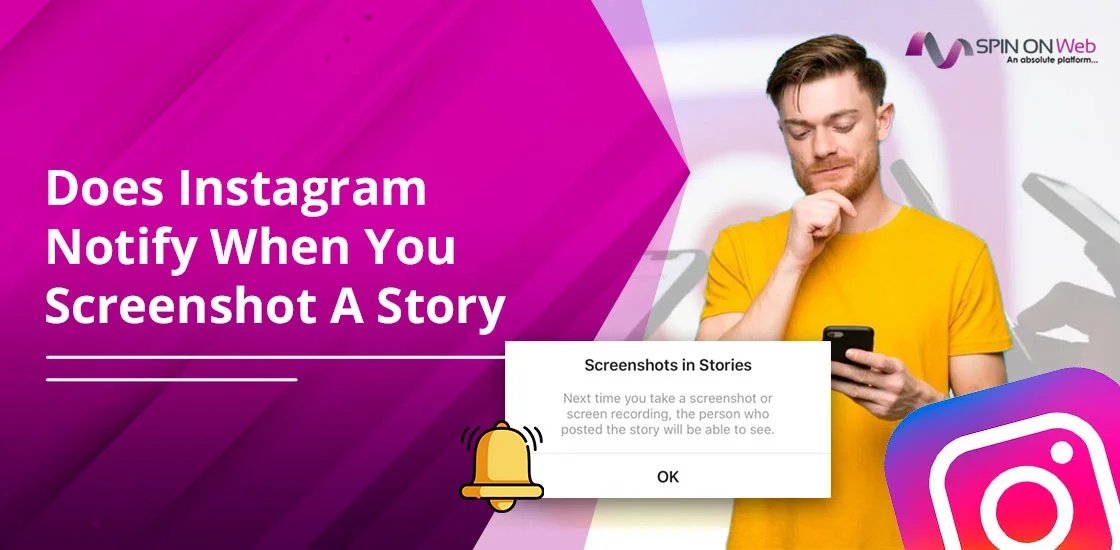
No, Instagram does not notify anyone when you screenshot their Story. The same goes for screen recordings, Close Friends Stories, Highlights, posts, Reels, and regular DMs. The only screenshot alerts on Instagram come from disappearing content in Direct Messages, like Vanish Mode chats and view-once photos or videos.
That said, a few things can still give you away, and a few rumors from 2026 have people confused again. This guide shows exactly what Instagram tracks, what it doesn’t, and how to protect your own Stories if you’re the one worried about screenshots.
Quick Overview
| What You Screenshot or Screen Record | Does the Other Person Get Notified? |
|---|---|
| Regular Stories (public or private accounts) | No |
| Close Friends Stories | No |
| Story Highlights | No |
| Feed posts, Reels, and profiles | No |
| Regular DM chats and photos sent with “Keep in chat” | No |
| View-once or replayable disappearing photos and videos in DMs | Yes, or the screenshot is blocked |
| Messages in Vanish Mode | Yes |
Key point: The Story owner can see that you viewed their Story, because your username shows up in their viewer list. They just can’t see whether you took a screenshot. Even Instagram Plus, the paid tier Meta is testing in 2026, adds rewatch counts and anonymous viewing, not screenshot tracking.
Can Someone See If You Screenshot Their Instagram Story?
No. When you screenshot or screen record a Story, Instagram sends no notification, adds no icon, and shows nothing in the viewer list or Story insights. The person who posted it has no built-in way to know.
This applies to:
- Stories from public accounts
- Stories from private accounts you follow
- Close Friends Stories (the ones with the green ring)
- Story Highlights pinned to a profile
- Stories you open from a shared link or a DM
Business and Creator accounts work the same way. Their Story insights show reach, replies, shares, and taps, but there is no screenshot count.
What the Story Owner Can See
Here’s the part many guides skip. Even though screenshots are invisible, your activity is not completely hidden. The person who posted the Story can see:
- That you viewed it. Your username appears in the viewer list for 48 hours after the Story was posted.
- Any reaction, reply, or poll vote you send.
- If you shared it in a DM, depending on their settings and insights.
- How many times you rewatched it, but only if they subscribe to Instagram Plus in a market where it’s being tested.
So if your goal is to stay totally unnoticed, the screenshot is not the problem. The view is.
Did Instagram Ever Notify Story Screenshots?
Yes, but only as a short test in 2018. Instagram showed a small group of users a shutter-style icon next to the names of people who screenshotted or screen recorded their Stories. Some test users also saw a warning before their first screenshot telling them the poster would be notified.
The test never rolled out to everyone. Instagram confirmed it had officially ended the experiment by mid-2018 and did not share a reason. Since then, Story screenshot alerts have not returned.
That old test is still the main reason this question keeps coming up. Outdated articles, Reddit threads, and short videos from 2018 still circulate, and people assume the feature is live.
Is Instagram Adding Screenshot Prevention to Stories in 2026?
Not officially. In June 2026, some users reported seeing an in-app notice saying Stories now had “screenshot prevention.” Marketing4eCommerce covered the reports, but there was no official announcement from Instagram, and it was unclear whether the feature would block screenshots or notify the poster.
Around the same time, several viral Reels claimed Instagram had “rolled out” Story screenshot notifications. Most of those videos actually ended with the same answer: regular Story screenshots still don’t notify anyone.
Here’s how to read this:
- Instagram often tests features with a small group of users before deciding whether to launch them.
- If you personally see a warning before taking a screenshot, trust what your app shows you.
- If you don’t see any warning, standard Story screenshots remain silent.
Tip: Before you screenshot something sensitive, watch for any pop-up or banner at the bottom of the Story. A test feature would most likely show itself there.
Does Instagram Plus Show Who Screenshots Your Story?
No. Instagram Plus is a paid subscription Meta started testing in March 2026, and none of its reported features track screenshots. Meta confirmed the test to TechCrunch, and it launched first in a few markets, including Mexico, Japan, and the Philippines.
Here’s what Instagram Plus reportedly adds for Stories:
- Anonymous Story viewing: Subscribers can watch a Story without showing up in the poster’s viewer list.
- Rewatch counts: Subscribers can see how many times someone watched their Story again.
- Searchable viewer lists and unlimited audience lists beyond Close Friends.
- Longer Stories that can stay up past 24 hours, plus a weekly Story spotlight.
Pricing in the test markets has been low, roughly $1 to $2 per month in local currency, with a one-month free trial. Features and prices can change before any wider rollout, and it isn’t available in every country.
What this means for you: If you rewatch someone’s Story several times before taking a screenshot, a Plus subscriber could see the repeat views. They still won’t see the screenshot itself.
Why Do People Think Instagram Notifies Story Screenshots?
The confusion comes from a mix of real features and old information.
1. Snapchat Does It
Snapchat notifies people when someone screenshots their Snaps, Stories, or chats. Instagram copied the Stories format from Snapchat, so many users assume the screenshot alerts came along too.
2. Instagram Does Alert in Some DMs
Instagram does notify for Vanish Mode and disappearing photos or videos. People who get one of these alerts often assume Stories work the same way.
3. The 2018 Test Still Shows Up in Search
News stories from early 2018 announced the test with headlines that made it sound permanent. Many of those pages are still online.
4. Social Media Rumors
Short videos with titles like “Instagram now tells people when you screenshot” get a lot of views, even when the claim isn’t true. The June 2026 “screenshot prevention” reports added fuel to this.
Does Instagram Notify Screenshots in Direct Messages?
It depends on the type of message. Normal DMs are safe to screenshot, but disappearing content is treated differently.
| DM Type | Screenshot Notification? |
|---|---|
| Regular text chat | No |
| Photos and videos sent from your gallery or with “Keep in chat” | No |
| Shared posts, Reels, or Stories inside a chat | No |
| View-once or allow-replay photos and videos | Yes, or screenshots are blocked |
| Vanish Mode messages | Yes |
Disappearing Photos and Videos (View Once and Allow Replay)
When someone sends a photo or video using the camera in a chat and picks “View once” or “Allow replay,” that content is meant to disappear. Historically, Instagram showed the sender a small “screenshot” label next to the message if you captured it.
On newer app versions, Instagram goes a step further. Many users now find that screenshots and screen recordings of disappearing photos and videos are blocked, so the capture comes out black or doesn’t save at all. Which one you see can depend on your app version and device.
Does Instagram Notify Screenshots in Vanish Mode?
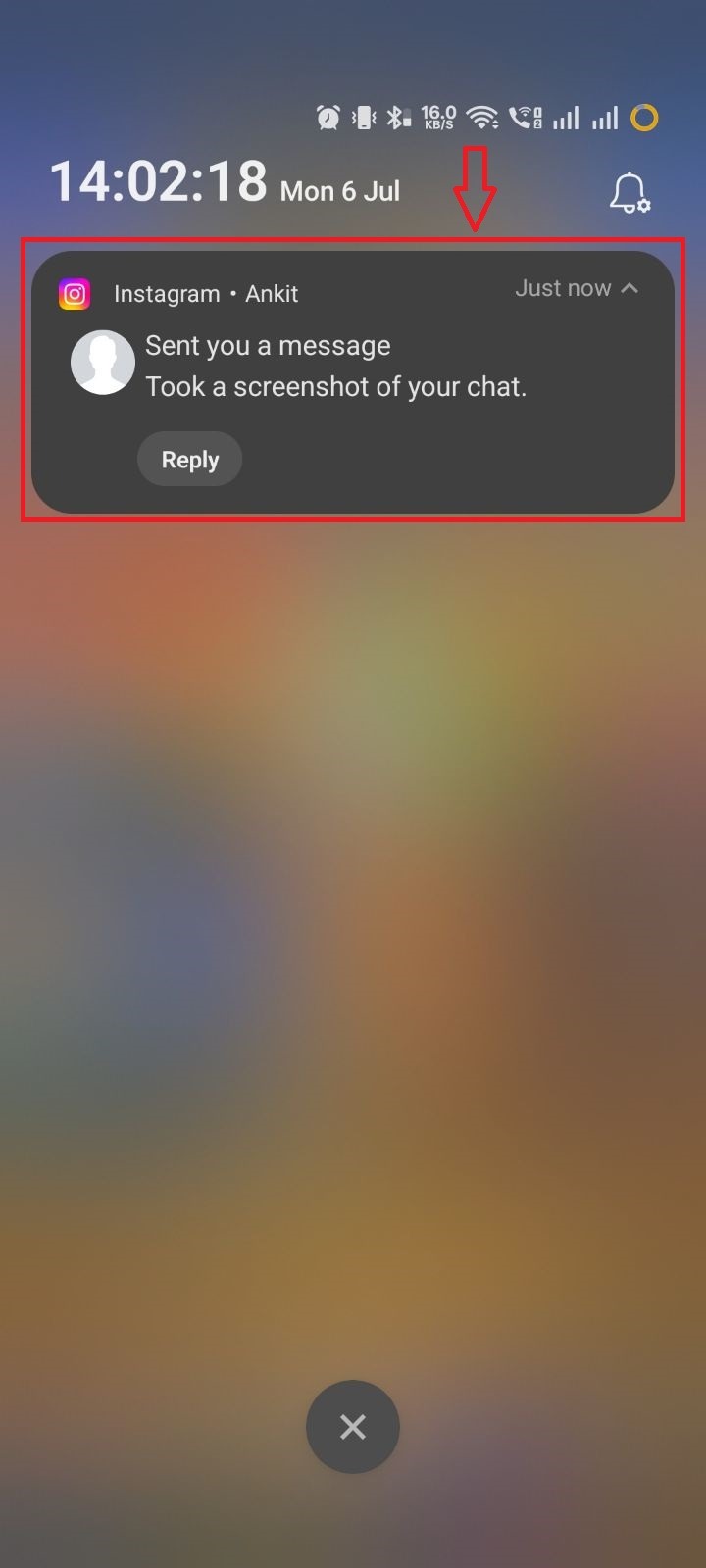
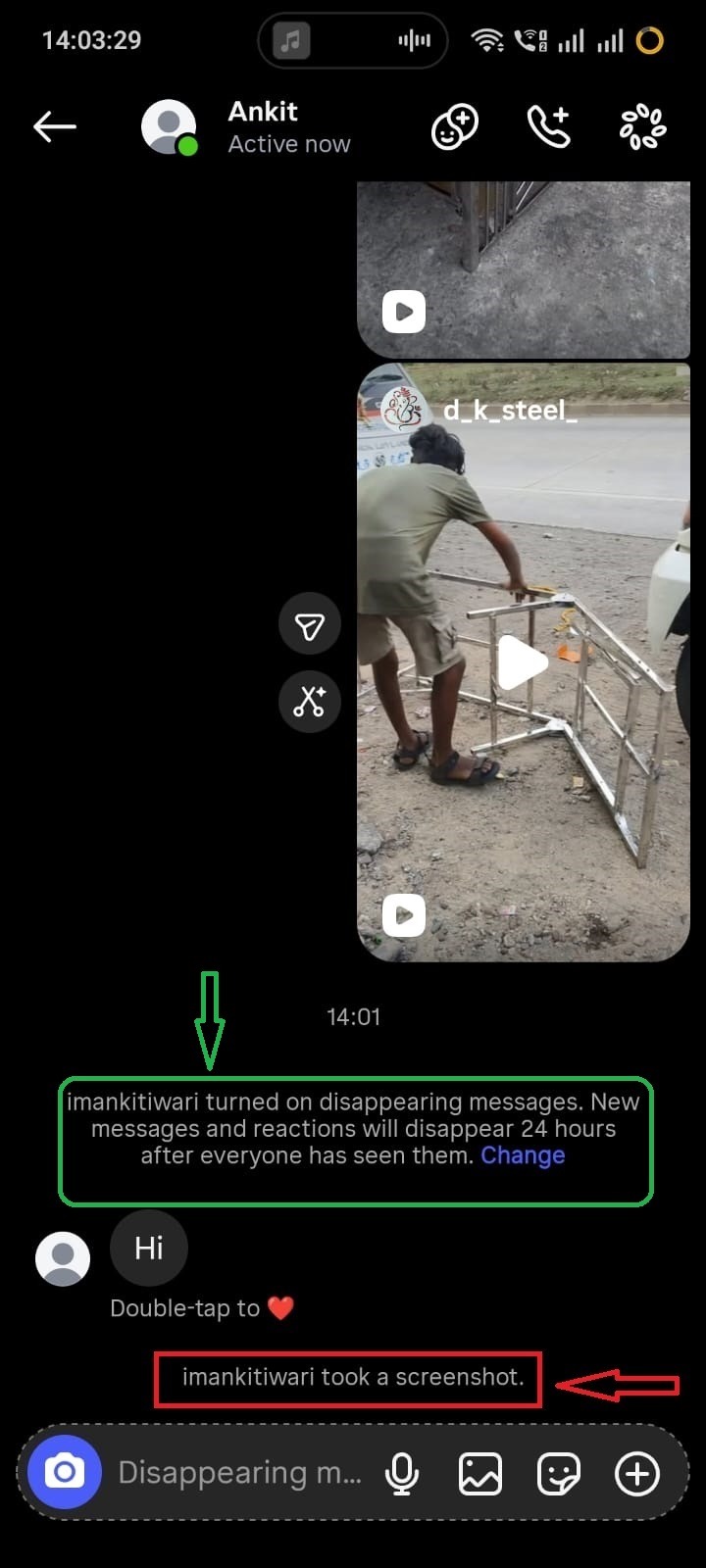
Yes. Instagram’s own Help Center page on vanish mode says you’ll get a notification if someone takes a screenshot or screen recording of a message in vanish mode before it disappears.
The alert shows up inside the chat and can also appear as a push notification on the other person’s phone. It covers everything sent in Vanish Mode, including text, photos, videos, and stickers. You can check the screenshots below, where I tested it myself:
In the notification bar:
Within the chat:
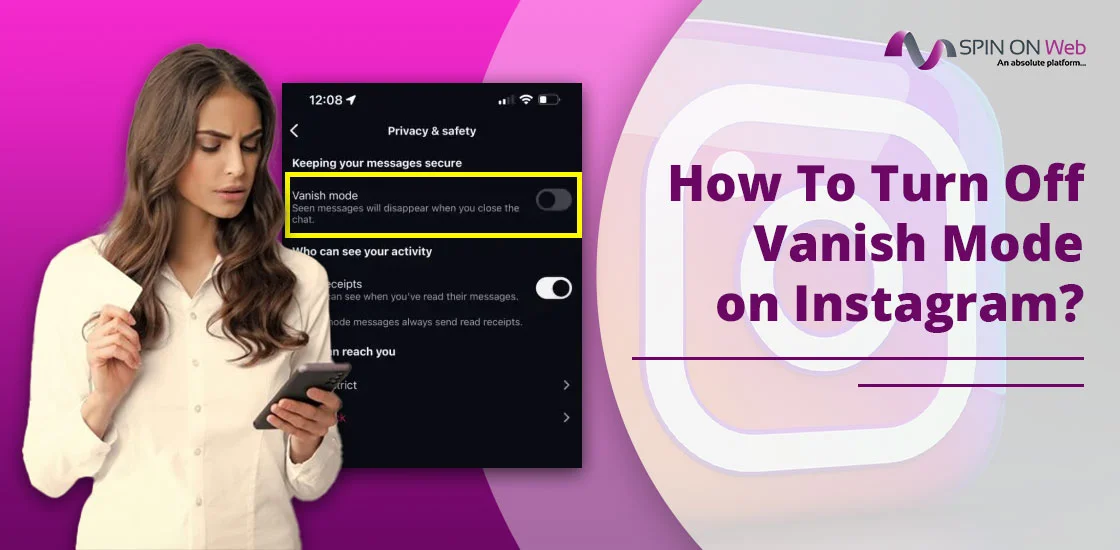
If you started a Vanish Mode chat by accident and want your normal chat back, here’s how to turn off vanish mode on Instagram in a couple of quick steps.
Does Instagram Notify When You Share or Repost a Story?
Sometimes. This is where screenshots and Instagram’s built-in sharing tools work very differently.
- Screenshot or screen recording: Silent. The creator is never told.
- Sending a Story in a DM with the paper airplane icon: The creator isn’t notified directly, but shares can show up in their Story insights.
- Resharing a post or Reel to your own Story: The original account is usually tagged and gets a notification.
- Resharing a Story you’re tagged in: The person who tagged you can see that you added it to your Story.
So if you want to save something quietly, a screenshot leaves no trace. If you want to give credit, the share button is the better choice.
Does Instagram Notify When You Screen Record a Story?
No. Instagram treats screen recording the same as a screenshot. Recording a Story, Highlight, Reel, Live, or post does not notify the creator.
The same exceptions apply, though. Screen recording a Vanish Mode chat or a disappearing photo or video can trigger an alert, or the recording may come out blank.
Does Instagram Notify Screenshots of Other Content?
| Content Type | Screenshot Notification? |
|---|---|
| Stories | No |
| Close Friends Stories | No |
| Highlights | No |
| Feed posts and carousels | No |
| Reels | No |
| Profiles and bios | No |
| Instagram Live | No |
| Comments | No |
| Regular DMs | No |
| Disappearing photos and videos in DMs | Yes, or blocked |
| Vanish Mode | Yes |
Instagram Screenshot Myths vs Facts
| Myth | Fact |
|---|---|
| Instagram secretly notifies Story screenshots | False. No alert is sent for regular Stories. |
| Close Friends Stories send screenshot alerts | False. They follow the same rules as regular Stories. |
| Screen recording is detected on Stories | False. Only disappearing DM content reacts to recording. |
| Airplane mode hides Vanish Mode screenshots | Unreliable. The alert can still go through once you reconnect. |
| Third-party apps can show who screenshotted your Story | False. Instagram doesn’t share that data, and these apps are often scams. |
| All DM screenshots are hidden | False. Vanish Mode and disappearing media are exceptions. |
How Can You Tell If Someone Screenshotted Your Story?
You can’t, at least not through Instagram. There is no screenshot counter, indicator, or report for Stories.
The only real signs come from outside the app. For example, a friend mentions they saw your Story in a group chat, or someone reposts it without asking. Be careful with any app or website that promises to show you “who screenshotted your Story.” Instagram does not provide that data, so these tools can’t deliver it. Many of them ask for your Instagram login, which puts your account at risk.
How Can You Stop People From Screenshotting Your Instagram Story?
You can’t block Story screenshots, but you can control who sees your Stories in the first place. That is the most effective protection.
- Use Close Friends. Share personal Stories only with a list you trust. Remember, Close Friends members can still screenshot without you knowing.
- Hide your Story from specific people. Go to Settings and privacy, then Story, live and location, then Hide story and live from, and pick the accounts.
- Make your account private. Only approved followers can see your Stories and posts.
- Turn off resharing. In your Story settings, you can stop people from sharing your Stories in messages.
- Use Vanish Mode or view-once media for sensitive content. These are the only places Instagram alerts you or blocks screenshots.
- Remove or block accounts you don’t trust. You can also restrict someone to limit how they interact with you.
If you want even more privacy around who can see your audience, you can also hide followers on Instagram using the options available for your account type.
Important: None of these settings stop someone from taking a photo of their screen with a second phone. If you’d be upset to see something again, don’t post it.
A Note for Parents and Families
Kids, school events, and home details often show up in casual Stories. A Close Friends list made up of family members is a simple way to keep those moments private. If you’d rather share family content publicly, it helps to plan it as a post or Reel you are comfortable keeping up. These family reels ideas are a good place to start if you want fun content that doesn’t overshare.
How to Save an Instagram Story Without Screenshotting
Stories don’t have a Save or bookmark button like feed posts do. Here are your real options.
For Someone Else’s Story
- Share it to yourself or a friend. Tap the paper airplane icon on the Story to send it in a DM. This only works if the creator allows resharing, and it disappears when the Story expires.
- Check their Highlights. Many creators pin important Stories to their profile so they stay up after 24 hours.
- Ask the creator. If you want to reuse the content, asking is the respectful option and avoids copyright problems.
For Your Own Story
- Story Archive. Instagram automatically saves your expired Stories to your archive if the setting is on. Go to your profile, open the menu, and tap Archive.
- Save to your phone. Turn on “Save story to camera roll” in your Story settings, or tap the three dots on an active Story and choose Save.
- Add to a Highlight. This keeps the Story visible on your profile.
For Feed Posts and Reels
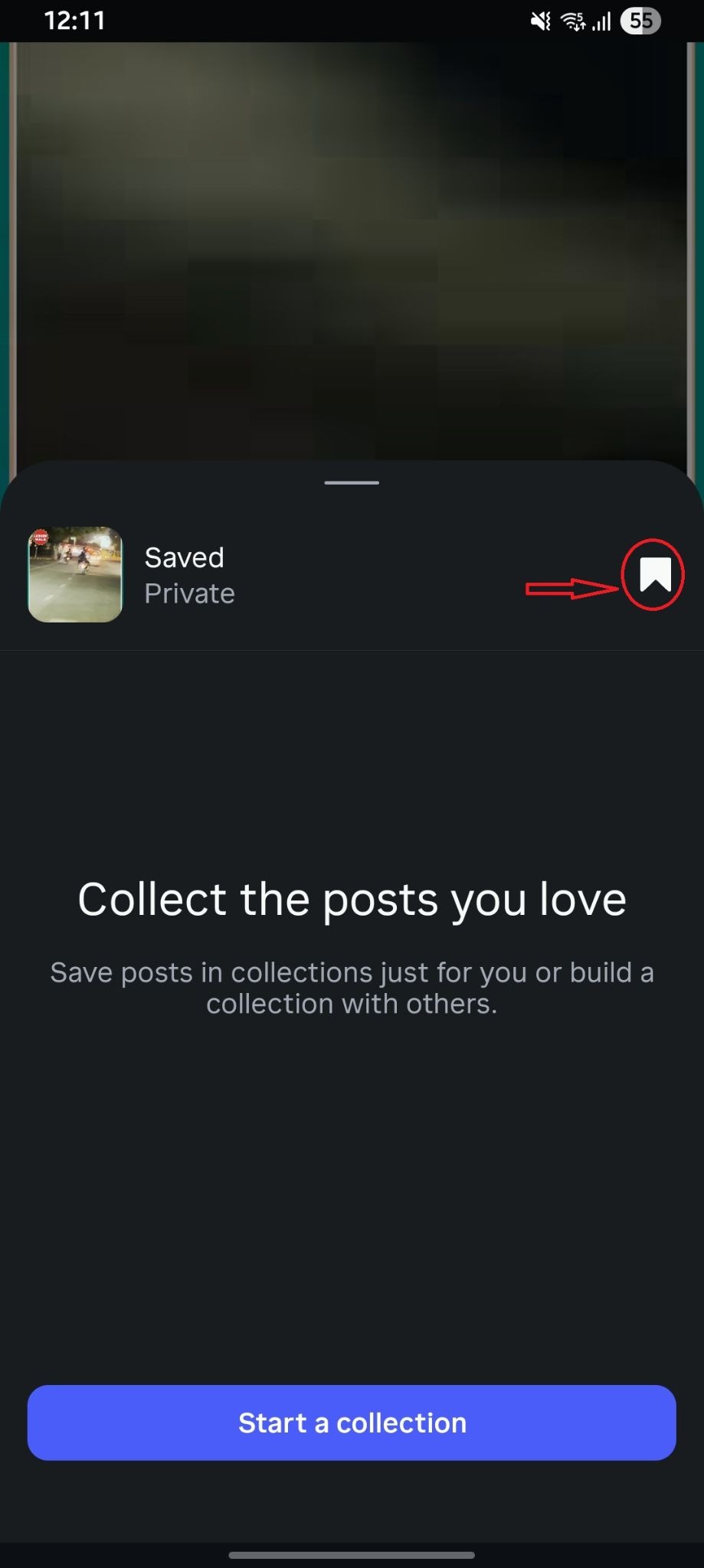
Tap the bookmark icon under any post or Reel to save it privately. You can sort saved posts into collections, and the creator is never notified. I saved a post on Instagram, and it looks like this:
If you’re a creator, this matters for you too. Saves are one of the signals that help content get seen. Posting share-worthy Reels at the best time to post Reels on Instagram gives people a better chance to save them properly instead of screenshotting.
Is It Okay to Screenshot Someone’s Instagram Story?
For personal use, like saving a recipe, a quote, or a product you want to remember, screenshotting is common and not against Instagram’s rules. Problems start when you share it.
- Reposting someone’s photo or video without permission can violate their copyright.
- Sharing a private or Close Friends Story can break trust, even if Instagram never tells them.
- Using screenshots to harass or embarrass someone can get your account reported.
A simple rule: if you wouldn’t be comfortable with the person knowing you saved it, think twice before sharing it.
Frequently Asked Questions
Does SS show up on Instagram?
No, an SS (screenshot) doesn’t show up anywhere on Instagram for Stories, posts, Reels, or regular chats. It only shows up in a DM thread when you capture a Vanish Mode message or a disappearing photo or video.
Does Instagram notify when you screenshot a private account’s Story?
No. Stories from private accounts follow the same rules as public ones. Being an approved follower doesn’t change anything, and no alert is sent.
Can someone see if I screenshot their Instagram Highlights?
No. Highlights are just saved Stories pinned to a profile, and they don’t send screenshot notifications. Highlights also don’t show a viewer list after the first 48 hours, so older Highlight views are mostly anonymous too.
Does Instagram notify when you screenshot a Story on the desktop or web version?
No. Screenshots taken on a computer or in a browser don’t trigger Story alerts either. Your username still appears in the viewer list if you’re logged in.
Why did my screenshot of an Instagram photo come out black?
You most likely tried to capture a disappearing photo or video sent in a DM. Instagram blocks screenshots and screen recordings of that content on many app versions to protect the sender.
Does Instagram notify when you screenshot a Note or a video call?
There is no known screenshot alert for Instagram Notes or video calls. The alerts are limited to Vanish Mode and disappearing photos and videos in DMs.
Will Instagram ever bring back Story screenshot notifications?
It’s possible, since Instagram tests new features regularly. The June 2026 “screenshot prevention” reports show that something may be in testing. For now, there’s no official launch, so regular Story screenshots remain private.
Final Recommendation
If you want to screenshot a Story, a Highlight, a post, or a Reel, go ahead. The other person won’t be notified. Just remember that they can still see you viewed their Story, and be thoughtful about sharing what you save.
If you’re worried about your own content, focus on who can see it. Use Close Friends, hide your Story from specific people, or switch to a private account. For anything truly sensitive, send it in Vanish Mode or as a view-once photo, which are the only places Instagram warns you about screenshots. And since Instagram’s features can change, keep an eye out for any new warning in your app before you capture something important.