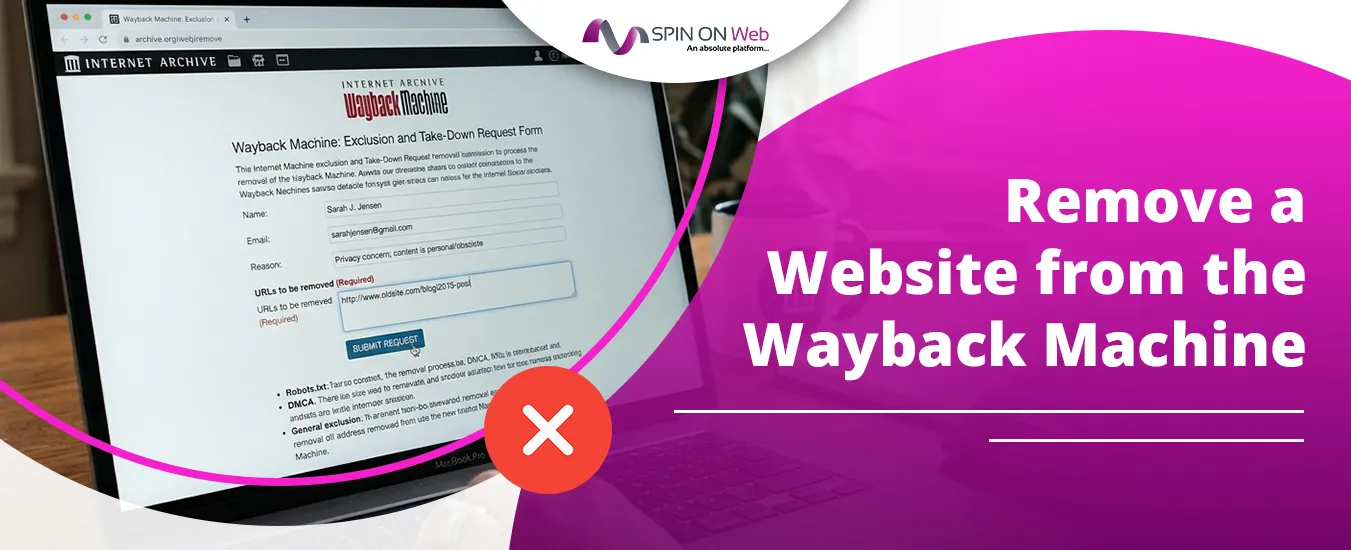
To remove a website from the Wayback Machine, email the Internet Archive at info@archive.org with the URLs you want excluded, the dates you owned or controlled the site, and the time period you want hidden. The Archive will usually reply with a short verification form, and once you prove ownership, the snapshots are pulled from public view on web.archive.org.
That sounds simple, and it mostly is. But a lot of requests stall because people skip the proof step, send vague emails, or try robots.txt alone and wait for something that never happens. This guide shows you exactly what to send, how to prove you own the site, and what to do in the tricky cases, like a domain you bought secondhand or a page on someone else’s site that shows your personal information.
Quick Overview
- List every URL you want hidden (a single page, a folder, or the whole domain).
- Prepare proof of ownership, such as a verification text file on your site, a DNS TXT record, or an email sent from an address listed on the site or in WHOIS.
- Email info@archive.org with the URLs, your ownership period, and the period you want excluded.
- Reply to the Archive’s verification form in the format they ask for.
- Wait a few days. After approval, allow about a day for the exclusion to process, then check that the archived URL shows “This URL has been excluded from the Wayback Machine.”
Robots.txt can help discourage future crawling, but it is not a reliable way to remove snapshots that already exist. The email request is the official route.
Can You Actually Remove a Website from the Wayback Machine?
Yes. The Internet Archive accepts exclusion requests from site owners and people who controlled a site or account. Its official removal help page says to send requests for site or account exclusions to info@archive.org, and that copyright claims follow a separate copyright policy.
Two things are worth knowing before you start:
- Removal usually means exclusion, not deletion. An approved request hides the archived pages from public access. Visitors see an “excluded” message instead of your old content. Do not assume the data is wiped from every internal system.
- It is a review, not an automatic takedown. The Archive decides case by case. A clear, verifiable request has a much better chance than a short “please delete my site” note.
Why Isn’t Deleting Your Website Enough?
Deleting or changing your live site only affects your own server. The Wayback Machine stores its own copies, so every snapshot it already captured stays available until the Archive excludes it.
This catches a lot of people off guard. You might rebrand, take down an old page with outdated pricing, or remove a staff photo, and the old version is still one search away on web.archive.org. Common reasons people request exclusion include:
- Old pages showing a home address, phone number, or personal email
- A rebrand where old messaging or old business names create confusion
- Outdated legal, pricing, or compliance pages that could be misread
- Copyrighted photos, articles, or files that were published without permission
- A domain you bought that carries an unrelated or embarrassing history
Which Removal Route Fits Your Situation?
The right method depends on whether you own the site and what kind of content you want gone. Use this table to pick your path before you write anything.
| Your situation | Best route | What you need |
| You own the whole website | Exclusion request to info@archive.org | URLs, ownership dates, proof of control |
| You want only one page or folder hidden | Targeted exclusion request | Exact URL or URL path, plus the date range |
| You bought an expired or used domain | Exclusion request with extra ownership proof | Current proof of control, and possibly proof covering the older period |
| Someone else’s site shows your personal info | Removal request to info@archive.org with a detailed explanation | The exact archived URLs and a clear reason; expect stricter review |
| Your copyrighted work appears in an archived page | Copyright claim under the Archive’s copyright policy | A proper DMCA-style notice identifying your work and the infringing URLs |
| The copy is on archive.today (archive.ph, archive.is) | That site’s own “report abuse” option | The archived link; this is a different service from the Wayback Machine |
How Do You Remove Your Own Website from the Wayback Machine?
You send one email with clear details, then answer the Archive’s verification request. Here is the full process, step by step.
Step 1: Find every archived URL you want hidden
Do this first, so you do not have to send a second request later. Open web.archive.org and search for your domain. To see every captured URL under your domain, use the wildcard format:
web.archive.org/web/*/yourdomain.com/*
This lists archived pages across the whole domain, including old blog posts, PDFs, and subfolders you may have forgotten. Write down whether you want the full domain excluded or only specific paths.
Step 2: Set up proof of ownership
Requesters who have shared the Archive’s reply say it offers several ways to verify control of a site. Pick the one that is easiest for you:
| Verification method | How it works | Best for |
| Text file on your site | Upload a plain .txt file to your root folder that states your exclusion request | Anyone with hosting or CMS file access |
| DNS TXT record | Add a TXT record with your request at your domain’s DNS provider | Sites where you cannot upload files easily |
| Email from the site’s listed contact | Send the request from the main contact email shown on the site, and link to where it appears | Small business and personal sites |
| Email from the WHOIS registrant address | Send from the registrant email shown in a public WHOIS listing, with a link to that listing | Domains without WHOIS privacy |
| Photo ID matching details on the site | Send a scan of a valid ID with sensitive fields redacted, plus a link to where your name or photo appears | Personal sites where your name identifies you as the owner |
Tip: The text file is usually the fastest option. Name it something obvious, such as wayback-exclusion-request.txt, and keep it live until the request is confirmed. A generic support address (like a help desk inbox) may trigger extra verification, so a domain-based personal or admin email works better.
Step 3: Write and send your exclusion request
Send your email to info@archive.org. Keep it short, specific, and easy to verify. Here is a template you can adapt:
Subject: Wayback Machine Exclusion Request: yourdomain.com
Hello,
I am the owner of yourdomain.com and I am requesting that the following be excluded from the Wayback Machine:
- URL(s): https://yourdomain.com/ (entire domain) OR https://yourdomain.com/old-page/
- Period I have owned or controlled the site: March 2019 to present
- Period I want excluded: all dates (or: January 2020 to June 2022)
- Reason: The archived pages contain outdated personal contact details.
- Proof of ownership: A verification file is live at https://yourdomain.com/wayback-exclusion-request.txt
Please let me know if you need anything else to process this request.
Thank you,
[Your name]
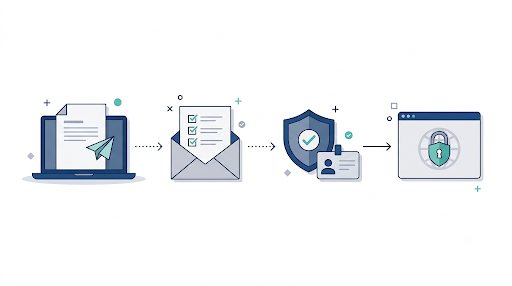
Step 4: Answer the verification form
Do not be surprised if your first email gets a reply asking you to resend everything in a set format. Requesters who have published their experience say the Archive asks for three things for each request: the URL or URL path, your ownership period, and the period you want excluded. Then it asks for one of the verification methods above.
Copy its format exactly. Reply in the same email thread so the reviewer can see your original message. This small step is where a lot of requests stall, simply because people answer loosely or forget to include the proof link.
Step 5: Confirm the exclusion
Published accounts describe a confirmation reply arriving within a few days, followed by up to a day of automated processing. After that, open one of your archived URLs. If it worked, you will see a message saying the URL has been excluded from the Wayback Machine.
Check a few different URLs, not just the homepage. If some subfolders still show snapshots, reply to the same thread with the exact URLs that are still visible.
How Long Does a Wayback Machine Removal Take?
Most verified requests are handled within a few days, though there is no official guaranteed timeline. Response times depend on how complete your request is and how busy the team is.
| Stage | Typical timing |
| First reply (often the verification form) | A few days |
| Approval after you send proof | A few days |
| Exclusion goes live after approval | Up to about a day |
| Incomplete or unclear requests | Longer, or no reply until you follow up |
If you hear nothing after one to two weeks, send a polite follow-up in the same thread. Do not open five new threads. That makes your request harder to track.
What If You Bought the Domain from Someone Else?
You can still ask for exclusion, but expect more questions. If the WHOIS registration date is newer than the period you want hidden, the Archive may ask you to show that you have a right to exclude content from before you owned it.
This comes up often with expired domains bought for SEO or rebranding. Snapshots from a previous owner might show a casino site, a parked page, or an unrelated business. To strengthen your request:
- Include your registrar purchase receipt or transfer confirmation
- Explain that the old content belongs to a previous owner and is unrelated to you
- Ask for the exclusion to cover the specific date range you are concerned about
Keep in mind that the Archive tries to target an exclusion to the requested period where it can. Being precise about dates helps.
Can You Remove Your Information from Someone Else’s Website?
Sometimes, but it is harder. If you do not own the site, you cannot prove control, so the Archive reviews the request based on your explanation and the content itself. The official help page says other types of removal requests can also go to info@archive.org, with as clear an explanation as possible.
To give your request the best chance:
- Link to the exact archived snapshot URLs, not just the domain
- Point out exactly where your personal information appears on the page
- Explain the harm, such as a home address, a private phone number, or doxxing
- Ask the original site owner to remove the live page first, if it is still up
Be realistic: a page that simply mentions your name or links to your profile is often not enough on its own. Requests involving sensitive personal data, safety risks, or nonconsensual intimate images are taken more seriously. The Archive says it may remove or disable access to content that appears to be a nonconsensual intimate visual depiction of a person.
Should You Use a DMCA Takedown Instead?
Use a DMCA notice only when your copyrighted work is the problem, such as your photos, articles, or files copied onto another site that was archived. For your own website, a normal exclusion request is simpler and usually enough.
The Internet Archive handles copyright complaints through its copyright policy, and its rights and copyright help page lists the Internet Archive Copyright Agent at info@archive.org and at 300 Funston Ave., San Francisco, CA 94118.
A valid copyright notice generally needs:
- Identification of your copyrighted work
- The exact archived URLs that contain it
- Your contact details
- A good-faith statement that the use is not authorized
- A statement, under penalty of perjury, that your notice is accurate and you are authorized to act
- Your physical or electronic signature
Warning: do not send a copyright claim for content you do not own just to speed things up. False DMCA notices can carry legal risk. If you are unsure, talk to an attorney.
Does Robots.txt Still Remove Wayback Machine Snapshots?
Not reliably. Robots.txt was once the standard way to hide a site from the Wayback Machine, but the Internet Archive announced in 2017 that it would stop relying on robots.txt the way search engines do. Its 2017 blog post on robots.txt and web archives explains that these files were built for search engines and did not fit archival goals.
Many older guides still tell you to block ia_archiver. That is outdated advice. An Internet Archive staff member noted in that same post’s comments that the ia_archiver user agent belongs to Alexa Internet, not the Internet Archive. If you still want to discourage future crawling, the Archive’s own crawler identifies as archive.org_bot:
User-agent: archive.org_bot
Disallow: /
Treat this as a light prevention layer only. It will not remove snapshots that already exist, and it is not a guarantee against future captures. For anything already archived, the email request is the route that works.
Does Removing It from the Wayback Machine Remove It Everywhere?
No. The Wayback Machine is only one web archive. Copies of your pages may also exist on other archiving services, in screenshots, or on sites that quoted your content.
The biggest one to check is archive.today, which also runs under domains like archive.ph and archive.is. It is a separate service with its own rules. According to Wikipedia’s guide to using archive.today, it removes pages at copyright holders’ request through the “Report abuse” link on archived pages. Note that English Wikipedia banned links to archive.today in February 2026 over concerns about how the service operates, so it is wise to approach it with care.
Before you consider the job done, search your domain on the other Wayback Machine alternatives that also store website snapshots. Each one has its own removal process, and an exclusion at the Internet Archive does not carry over to them.
Also check Google. If old content still shows up in search results after you removed it from your site, you can use Google’s own removal tools to request that outdated results be refreshed.
What Mistakes Slow Down or Block a Removal Request?
Most failed or delayed requests come down to missing details. Avoid these common problems:
- Not including proof of ownership. Without it, the Archive will ask again, and the clock resets.
- Being vague about URLs. “Remove my old site” is weaker than listing the exact domain or paths.
- Leaving out dates. Always include both your ownership period and the period you want excluded.
- Taking the verification file down too early. Keep it live until you get confirmation.
- Using a generic help desk email. Customer service style inboxes may need more verification.
- Relying only on robots.txt. It does not clear existing snapshots.
- Sending a DMCA notice for non-copyright reasons. Use the normal exclusion request for privacy or ownership issues.
- Forgetting subdomains. blog.yourdomain.com and shop.yourdomain.com may need to be listed separately.
- Sending screenshots instead of links. Reviewers want live links they can check.
Is Removing Your Site Always a Good Idea?
Not always. Before you request a full-domain exclusion, think about what you might lose. Archived snapshots can be useful proof of when you first published content, which helps in copyright disputes or when someone copies your work and claims it came first.
A few practical questions to ask yourself:
- Do you need the whole domain hidden, or just one or two problem pages?
- Could old snapshots help you prove original authorship later?
- Would updating your live site and publishing a clear current page solve the real problem?
For most businesses, a targeted exclusion of specific URLs is the smarter move. It removes the risk without erasing your entire public history.
Frequently Asked Questions
Is it free to remove a site from the Wayback Machine?
Yes. The Internet Archive does not charge for exclusion requests. You do not need a paid service or a reputation management firm for a standard request on a site you own. Paid help is mainly worth it for complex legal or personal safety cases.
Can I remove just one page instead of my entire website?
Yes. List the exact URL or URL path in your request, such as yourdomain.com/old-team-page/. The Archive can exclude a single page, a folder, or a whole domain, and it tries to match the exclusion to what you request.
What does “This URL has been excluded from the Wayback Machine” mean?
It means an exclusion is active for that URL, so its snapshots are hidden from public view. Usually the site owner requested it, but it can also follow a copyright or legal request. If you own the domain and did not request it, you can email info@archive.org to ask why.
Can I undo a Wayback Machine exclusion later?
Generally, yes. If you change your mind, email info@archive.org from the same verified channel and ask for the exclusion to be lifted. Since excluded snapshots are usually hidden rather than erased, restoring access is often possible, but the Archive makes no guarantee.
Can I stop the Wayback Machine from archiving my site in the future?
You can ask for that in your exclusion request. Approved exclusions often cover future captures too. Adding an archive.org_bot block in robots.txt is an extra signal, but it is not a guarantee on its own.
Will removing my site from the Wayback Machine hurt my SEO?
No. Wayback Machine snapshots are not part of how Google ranks your live pages. Excluding them will not lower your rankings. It only stops people from viewing your old content through the archive.
What if the Internet Archive never replies?
Wait one to two weeks, then reply in the same email thread with a short follow-up. Check that your request includes the URLs, both date ranges, and a working proof link. Missing details are the most common reason requests go quiet.
Final Recommendation
If you own the site, skip the robots.txt guesswork and go straight to the official route. Upload a verification text file, list the exact URLs and date ranges, and email info@archive.org. Answer the verification form exactly as asked, then check your archived URLs a few days later.
If you only need a few pages gone, ask for a targeted exclusion rather than wiping your whole history. If the issue is your personal information on someone else’s site, be detailed and specific about the harm. And if your content is copied without permission, use the Archive’s copyright process instead. Once the Wayback Machine is handled, check archive.today and the other archive services so the old content does not quietly live on somewhere else.