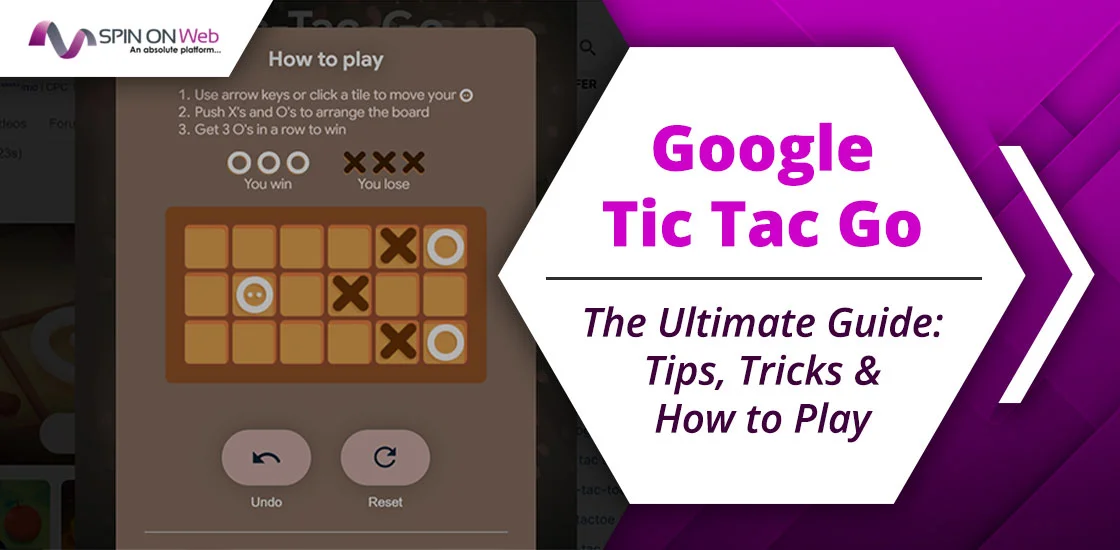
If you’re bored of traditional tic-tac-toe, Google has a stylish new daily puzzle you need to try: Tic Tac Go.
Google Tic Tac Go is a slide-based strategy game with entirely new mechanics. Tic-Tac-Go is a daily puzzle game hosted on Google’s Daily Games page. So, it’s easy to play. But as a beginner, you need guidance to understand the game’s rules. Fret not! I’ve been playing it regularly to figure out what actually works and, therefore, have covered playing tips with some extra game knowledge for you.
By the time you complete the post, you will become a pro at playing the Google Doodle Tic-Tac-Go game. Let’s begin!
Unlike traditional Tic Tac Toe, many players associate Google Tic Tac Go with solving logic-based puzzles rather than simply playing against another player.
What is Google Tic Tac Go?
Tic Tac Go is a single-player puzzle game where you slide X and O tiles to line up three O’s in a row.
The game is inspired by traditional tic-tac-toe, which we used to play with a pen and paper.
The Tic Tac Go is more focused on logical decision-making than simple luck. Yes, you need to be smart enough to slide and adjust the blocks to line up your icon sequentially within the board. It’s a one-player game where the focus is to match O sequentially and avoid X matching.
You might wonder what the difficulty is in this.
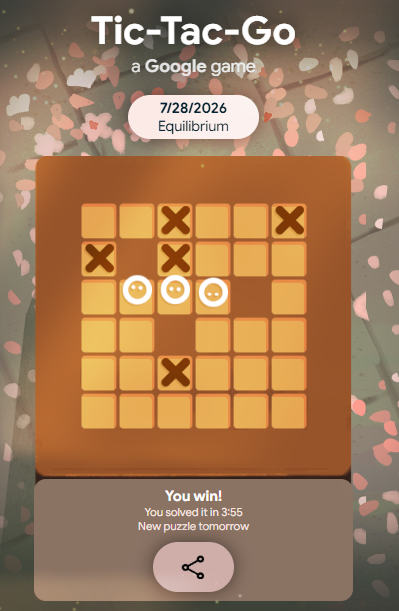
Well, a single wrong push on the icon can make winning difficult in Tic Tac Go Google.
The game is updated daily by Google. So, you get a new challenge every day.
Goal of the Game
While objectives vary depending on the version being played, the primary goal remains the same:
- Analyze the board.
- Identify the strongest move.
- Avoid creating winning opportunities for the opponent.
- Complete the puzzle efficiently.
Unlike random guessing, successful players rely on logic, planning, and pattern recognition.
How to play Tic Tac Go Google
The game rules are simple, so a new player adapts quickly. Here’s the step-by-step guide to start playing:
Step 1: Open the Game
Open any browser and go directly to: dailygames.discover.google.com/games/tic-tac-go to access the game.
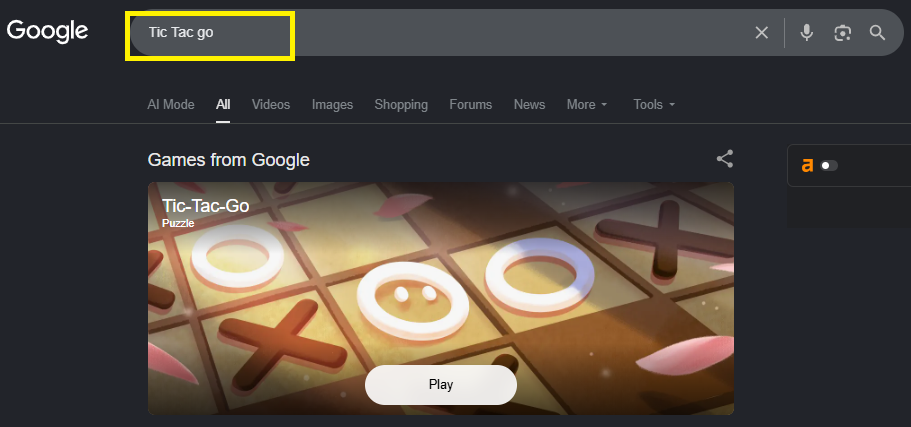
Step 2: Read the Board
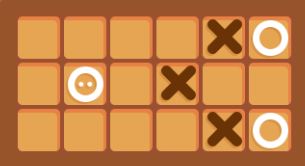
Next, you need to analyze the board with X tiles, O tiles, walls, and your round character (also an O, with little eyes which you can move throughout the board). Each move should be calculated.
Step 3: Move Your Character
Once analyzed the board, it’s time to move your default icon (the O with blinking eyes). Use arrow keys on desktop. On mobile, simply swipe in any direction.
Note: You can move one tile at a time.
Step 4: Push Pieces Strategically
Every time you push a tile (either X or O), make sure your move is intended to create a sequence of 3 O tiles, not X tiles.
Step 5: Win or Reset
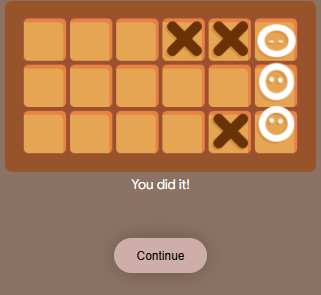
Line up three O’s (including yourself) horizontally or vertically to win. If three X’s align, you lose.
Note: For any wrong move, you can go back by pressing just R on your desktop. Or, if using the mobile browser, press Undo or reset button to start over.
Why Are So Many People Searching for It?
Interest in browser-based puzzle games has grown significantly over the past few years. Daily games encourage players to return every day, compare scores, and improve their solving speed.
People searching for Google Tic Tac Go are usually looking for one of the following:
- Today’s puzzle
- Unlimited practice
- Winning strategy
- Easy to access
Rules for Google Tic Tac Go
The rules are simple enough to explain in two minutes, but deep enough to keep you thinking.
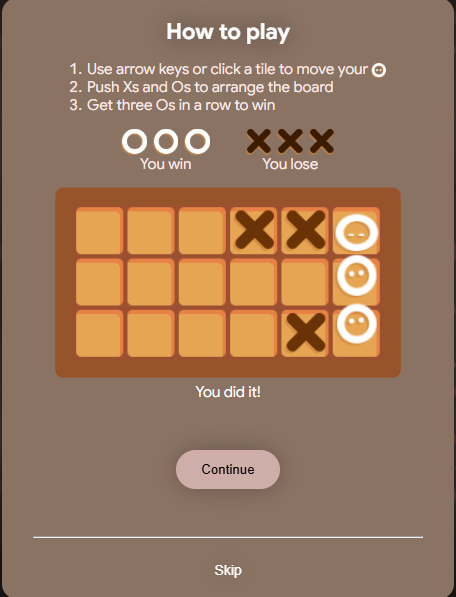
- Win condition: Three O’s must align in a row or column. Your character (the round O with eyes) counts as one of the three O’s needed to win.
- Lose condition: If three X’s line up in any row or column, the puzzle resets (or you can undo).
- Turn order: There are no turns. You move freely around the board.
- Undo: Fully supported. Undo as many moves as you like with no score penalty (though fewer total moves earn a better rating).
- Walls: Pieces (and you) cannot pass through walls. This is the core puzzle constraint.
- One push at a time: You can only push a single tile per move. You cannot chain pushes.
- Scoring: Your score is based on move count. The game saves your best score per puzzle.
Best Strategies to Win Google Tic Tac Go (Based On Real Play)
What I have tried and worked for me is something I will share with you.
This game observation is based on playing Google Tic Tac Go recently for multiple times and winning and losing at the same time.
Beginner Tips
- Scan before you move: Before moving, visualize your winning line: Which row or column can fit three O’s?
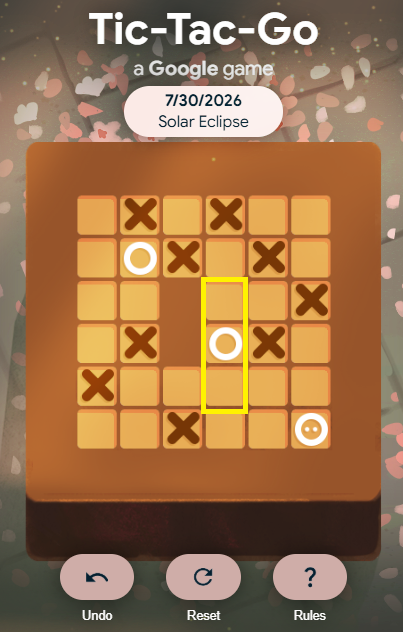
Example: Today’s game looked like this: I am standing at the last column (which is 6th) on the board. What I have observed:
Idea from my gameplay:
- I can only bring an O tile from the third-last column to the second column. (Check the highlighted grid from the image.)
- Before that, I need to push the X tile from the first column to the top of the grid. That is where I will have enough space for the O tile.
- Locate your winning line first: Find the row or column where three O’s can fit, then plan backwards to get there.
Idea from my gameplay:
- My first move would be pushing the X tile from the 6th column to the top of the grid.
- Then I come to the third-to-last column to push down the O tile.
- Remember you are an O: Players often forget their character is one of the three O’s. So, focus on matching the O tiles only, not X tiles.
Idea from my gameplay:
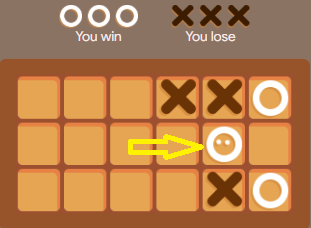
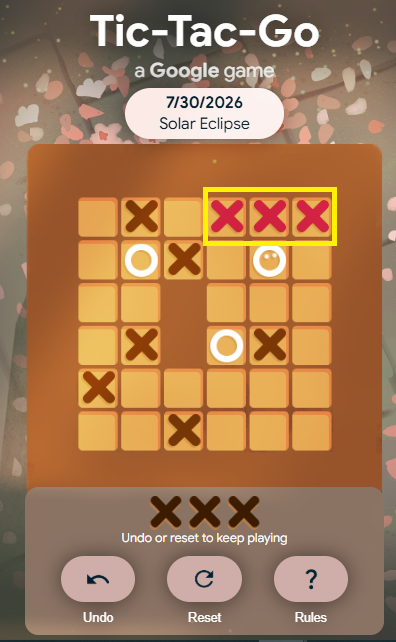
- If I move X from the 6th column to the top and also from the second-to-last column to the top, this will align X tiles, and I will lose. As in the given case.
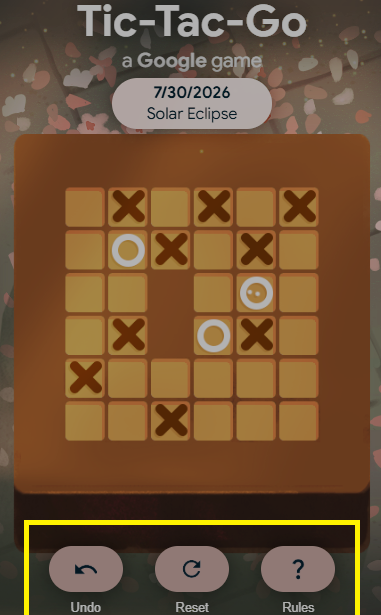
- Use undo freely: If I used to make mistakes (like shifting the wrong tile to the wrong place), I used to press undo or tap R on my desktop. The good part? The game is penalty-free.
Idea from my gameplay:
- Since I have made a blunder by matching X tiles mistakenly, I have the option to undo my move or just reset the whole game. As in the given case:
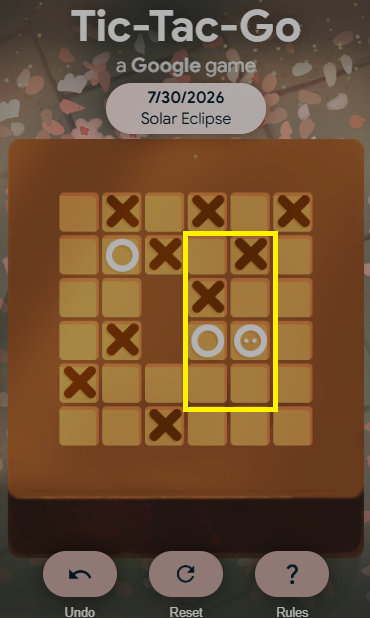
- Check for dead ends: You cannot just press and move the tile casually; sometimes when you do, you reach a dead end. That means you cannot come back or push your tile (O) further.
Idea from my gameplay:
- As you can see, in my gameplay of Tic Tac Go, I am stuck in the dead-end position where I cannot move my O tile without shifting the X. And if I try to shift X, I will lose the game.
Advanced Tips
- Avoid setting up X’s: Never push X tiles unless necessary — each X move risks creating a losing line. The goal is to match O tiles, so avoid matching X, even as a mistake. Otherwise, you will lose the game.
- Work backwards from the solution: Visualize the finished board, then trace the sequence of moves that produces it.
- Use walls as anchors: Walls are fixed — use them to lock O pieces in place once pushed into position.
- Count minimum moves: If a puzzle is rated “5-move optimal,” count your planned moves before executing. If you’re at 7, find the shortcut.
- Pattern recognition beats calculation: Learn common patterns: ‘Corner O with two walls’ or ‘L-shaped O setup’ appear in 60% of hard puzzles.
Common Mistakes to Avoid
- Rushing leads to mistakes: Always pause and check if your move creates an X line before pushing. Rushing creates cascading mistakes. So, think before moving a tile and predict whether it will help you achieve your goal or not.
- Ignoring X positions: You have to keep an eye on both tiles (O and X). If you focus on just the O tile, you might end up aligning X tiles, which is your defeat.
- Not counting yourself: Your character IS one of the three O’s. Don’t waste moves searching for a third O.
- Overcomplicating it: In a few attempts, I made the game complicated with my abrupt moves. Which is why I had to reset the game by tapping the ‘Reset’ button under the board.
Difference between Google Tic Tac Go and Tic Tac Toe
Understand the difference between Google Tic Tac Go and Google Tic Tac Toe. This will give you a proper picture of how both games are different while being fundamentally the same.
| Tic Tac Go | Tic Tac Toe |
| It’s a strategic movement of icons: X and O to win the game. | It requires filling the right spot with a click to win the game. |
| You get ‘O’ as a default icon. | You have a choice to select between X and O to start with. |
| While pushing the ‘O’ icon, make sure you do not match X 3 times. | One wrong move can result in losing the game. |
| Completely modern version of traditional tic tac toe with a push icon feature, not a fill icon. | Inspired by traditional tic tac toe completely. |
| One new puzzle each day and multiple moves you can make within the game. | Unlimited attempts to play the game. |
| Access via: dailygames.discover.google.com/games/tic-tac-go | Google Tic Tac Toe is available as one of the popular Google easter eggs built into search. |
| Only one player game | Typically requires two players; you can select play against a friend mode to play with your friend on the same game interface. |
Why It Appeals to Both Casual and Competitive Players
Tic Tac Go by Google is loved by both casual and pro players. The reasons include:
Easy to access: One reason Tic Tac Toe-inspired puzzle games remain popular is their accessibility. A new player can understand the basic rules in less than a minute, while experienced players can spend much longer mastering advanced strategies and recognizing recurring board patterns.
Short sessions: Short sessions also make the game appealing. A single puzzle often takes only a few minutes, making it an easy choice during work breaks, commuting, or whenever you want a quick mental challenge without investing a significant amount of time.
Third-Party Tic-Tac-Go Alternatives
If you cannot access the official Google Daily Games version in your region, you can try similar third-party puzzle games. These are not official Google products, but they offer a similar style of play and can help you practice the same logic and tile-movement skills.
GitHub game: Accessible at https://tic-tac-toe-google.github.io/, this game is completely free. It offers 3, 4 and 7 grid boards for a better playing experience. 2 players can play simultaneously on this. A 1-player option is also available.
Tic Tac Go! – Party Word Game: It’s another app-based Tic Tac Go alternative from third party. You can download the app from the Google Play Store and start playing. It records the game streak and gives you an authentic gameplay experience.
Tic Tac Go by Local Oeste software house: this might give you a typical Google’s Tic Tac Go online game feel. Again, you need to download this game from the Google Play Store to start playing immediately.
Final Word
We understood the Google Tic Tac Go game – rules, how to play, winning moves, and many more. The game is an ideal choice for people looking for an online, quickly accessible game. Only pushing the icon strategically so you can match ‘o’ sequentially is the goal. Also, make sure your moves do not cause X matching – because then you will lose the game.
People Also Ask:
Where can you play Google Tic Tac Go?
You can play Google Tic Tac Go game by directly at: dailygames.discover.google.com/games/tic-tac-go
Is this a daily puzzle?
Yes, Google Tic Tac Go unlocks every day.
Can you play unlimited games?
A new puzzle is released daily, and you can use undo/reset to keep practicing
Can you play Tic Tac Go with friends?
Classic Tic Tac Toe supports two-player gameplay, but Tic-Tac-Go is a single-player puzzle game.