Quick Answer
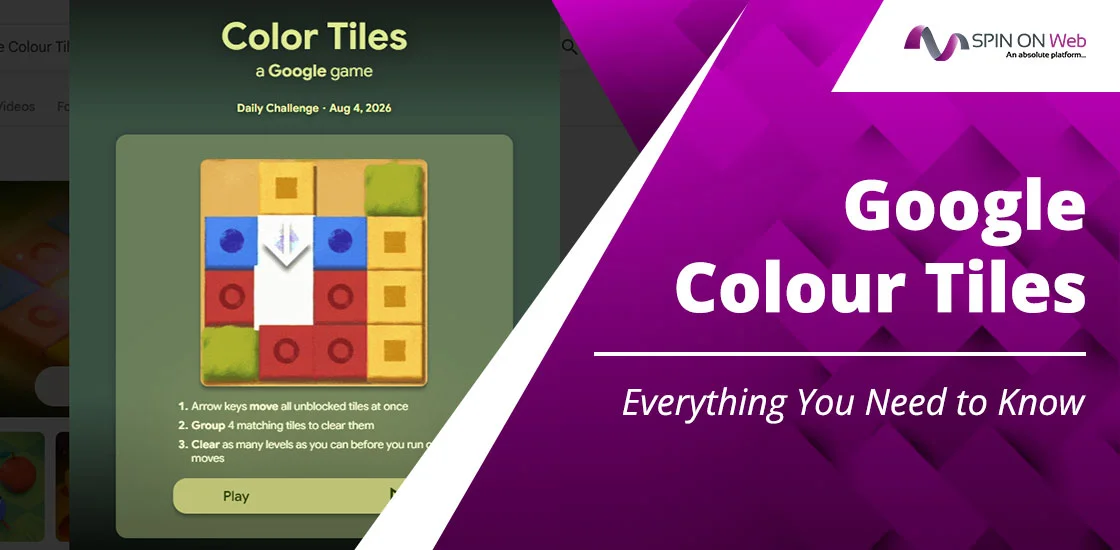
Google Color Tiles is a free, browser-based color-matching puzzle game available through Google’s Daily Games platform. Players tap blank spaces on a colored grid, triggering a cross-scan that clears matching adjacent tiles. The goal is to clear all the tiles from the board and level up. It features a 20-level progressive challenge and a daily rotating puzzle, making it both a quick brain teaser and a long-term skill builder.
Isn’t it fun to get a game online with just a click? You don’t even need to download an app for it. Google’s daily games are ideal for on-the-go fun. We will discuss Google Color Tiles this time. Those new to the game will get enough information from accessing the game to playing it with winning tips.
Whether you’re a casual player trying to survive Level 5 or a determined puzzler chasing a Level 10 clear, this guide covers everything you need to know.
What is Google Color Tiles?
Google color Tiles, or Google Color Tiles is an original puzzle game created by Google and hosted on its Daily Games platform. Unlike the classic Google Doodle throwbacks such as Pac-Man or Snake, Color Tiles is a modern, purpose-built game designed specifically for Google Search’s growing arcade ecosystem.
The game concept is clean: a grid filled with colored tiles and a handful of blank (empty) spaces. You click on any blank space. The game immediately scans outward in four directions — up, down, left, and right — identifying the nearest colored tile in each direction.
If two or more of those tiles share the same color, they are cleared from the board, and you earn one point per tile removed.
It may sound easy, but in reality, it is not.
The game scales in difficulty across 20 progressive levels.
Early levels give you comfortable gameplay to match similar color grids.
By the time you cross Levels 5 and 6, each of your moves becomes very important because the game is now more difficult than in previous levels. Reaching its maximum level, which is 20, is too difficult. The game understanding and approach make the difference. Let’s learn the game better.
How to Play Google Color Tiles
Playing Google Color Tiles is straightforward to learn but demands practice to master. I will walk you through the actual steps as I follow each step personally.
Step 1: Open the Game
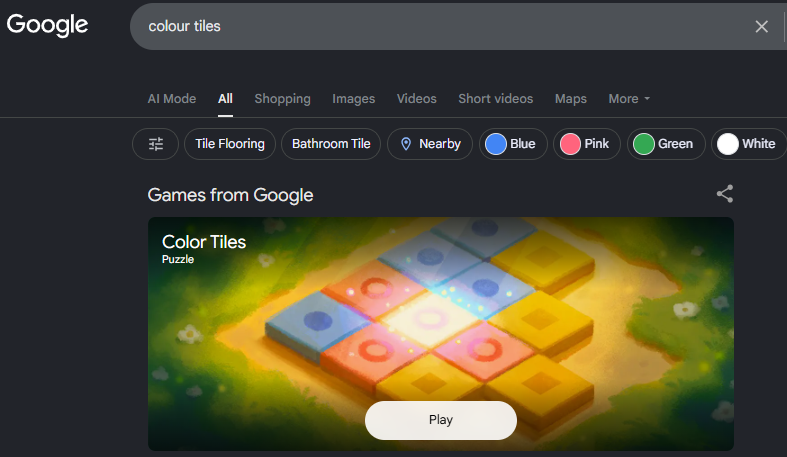
Visit Google.com and type the query: “Google Color Tiles” or “color Tiles.” Google typically surfaces the game directly in search results. Go to dailygames.discover.google.com/games/color-tiles in your browser.
Step 2: Understand the Board
The game presents a rectangular grid packed with colored tiles in up to eight distinct colors. Scattered across the grid are blank spaces, shown as dashed grey boxes. These blank spaces are your tools — they’re the only places you can click.
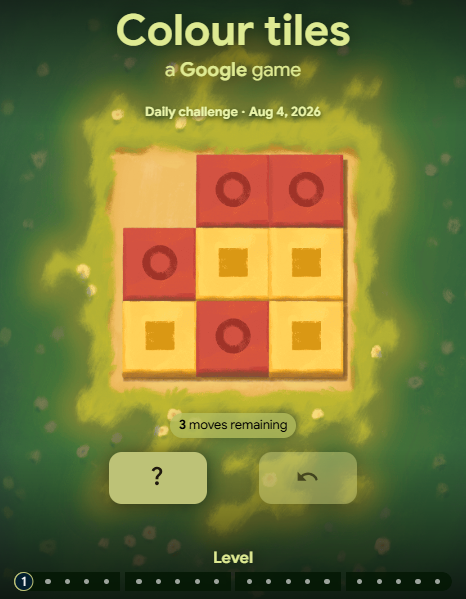
Take two seconds before you start clicking to scan the board. Where are the color clusters? Which colors appear most frequently? Where are the blank spaces positioned relative to large groups of the same color? This two-second investment often saves five clicks later.
Step 3: Make a Move
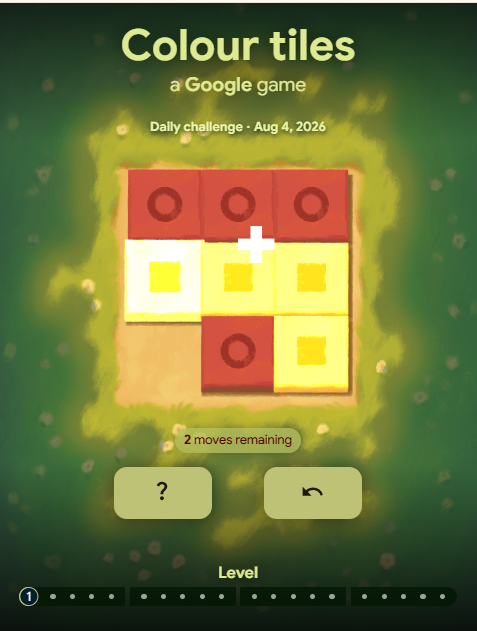
Click on any blank space. The moment you click, the game triggers a cross-scan: it looks left, right, up, and down from your chosen space and identifies the nearest colored tile in each direction.
If two or more of those four tiles share the same color, they’re cleared, and you earn one point per tile. If the tiles don’t match in color, nothing happens.
Step 4: Reach the Target Score
You need to clear the level each day. Clearing larger clusters earns more points per move. A move that clears four matching tiles earns four points; a move that clears none earns zero.
Step 5: Progress Through Levels
As you keep matching the tiles, your level increases. You can reach up to 20 levels. Once you match all the tiles, the board refreshes with new tile arrangements.
Step 6: The Daily Challenge
Accept the daily challenge as the game refreshes daily by Google. This gives players a sense of excitement to solve the game successfully and reach the highest level, breaking the previous record.
Where Can You Play Google color Tiles?
A lot of new players may wonder where to access the game. The game is just a click away. You can find it out at Google’s own Daily Games platform, which is dailygames.discover.google.com/games/color-tiles.
Moreover, users can also search for the game by entering “color tiles” into Google Search on desktop or mobile. Google often surfaces the game as an interactive result at the top of the page.
The game runs in any modern browser like Chrome, Firefox, Safari, and Edge.
Among all, Chrome tends to offer the smoothest performance given that the game is a Google product, but the difference is marginal on modern browsers.
Google color Tiles: Game Rules Simplified
This is a perfect color tile Google game rule explanation for new players. Even regular players can also get some new ideas if they want to.
1. Movement
Movement in this game is actually your click selection. As you click on a blank space, the game handles the rest automatically through its cross-scan mechanic.
2. The Cross-Scan
When you click a blank space, the game scans outward from that exact cell in four cardinal directions (up, down, left, right). It stops at the nearest colored tile in each direction. You get up to four tile candidates from a single click. Only the nearest tile in each direction counts — tiles further down the same row or column are ignored.
3. Scoring
You earn exactly one point per tile cleared. Two matching tiles cleared = 2 points. Four matching tiles cleared = 4 points. No bonus multipliers exist in the base game, which means every single click counts equally. There are no wild tiles, no power-ups, and no color-neutral tiles in the standard game.
4. Matching Conditions
A match requires at least two tiles of the same color from the cross-scan result. If only one tile of a given color appears in all four directions, no match occurs, and no tiles are cleared. The two matching tiles do not need to be opposite each other — they just need to share the same color among the four scanned candidates.
5. Failures and Retries
The game offers you multiple retries. You can tap the retry button and play the game from the start. When your 3 moves are utilized and you have not matched any tile, you lose the game.
6. Streaks and Timer
There is no in-game streak counter displayed in the base version, though daily challenge completions can be tracked personally.
Beginner Strategy to Solve Google color Tile Levels Faster
Most new players lose early levels not because the game is too hard, but because they don’t have the right gameplay knowledge.
Here are the key habits beginners should build from day one. I have played the game from the start and taught at every step of the way.
1. Scan Before You Click
Spend the first two seconds of each level scanning the entire board. Identify which colors appear in the largest groups. Spot where blank spaces are positioned near those clusters. A quick mental map prevents wasted clicks throughout the level.
Idea from my gameplay:
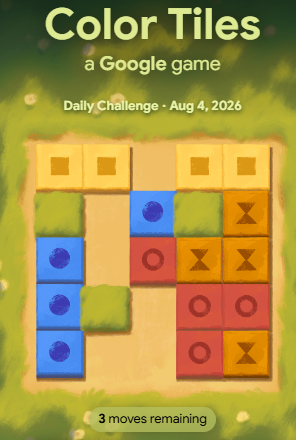
In this game, I can clearly see that shifting the top row tiles (in yellow) can help me earn 4 points directly. So, I will start with that movement first.
2. Prioritize High-Density color Areas
Not all parts of the board are created equal. Look for areas where the same color appears in multiple adjacent rows and columns are goldmines. A single blank space surrounded by a cluster of red tiles in three directions — plus a red tile on the fourth — can earn you four points in one click. Look for those zones first.
Idea from my gameplay:
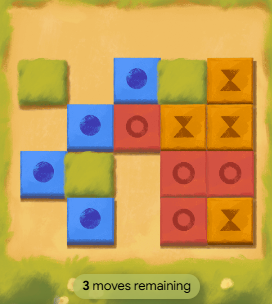
After the first move, I can see the red color tiles have the potential. If I push the red down, the combination of 4 tiles is created. And I can earn 4 points while maintaining 3 moves.
3. Avoid the Edges Early
Blank spaces on the very edge of the board can only scan in three directions (one direction hits the wall). Corner blank spaces can only scan two directions. This cuts your potential match candidates in half. Beginners should prioritize using center and near-center blank spaces first. Save edge spaces for when they clearly line up with clusters.
Idea from my gameplay:
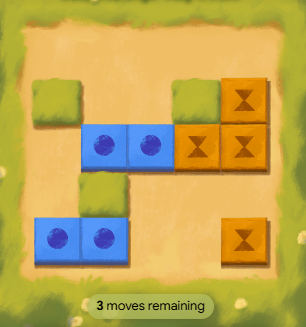
Here, I can see I have two tiles on the edges: Blue and Yellow. If I move Blue, I may lose my moves without earning a single point. But on the other hand, if I move Yellow towards the top side, this can surely be beneficial.
4. Chain Reaction Awareness
Every tile you clear changes the board. When tiles are removed, the nearest colored tile in any given direction may shift. Train yourself to think one move ahead: after you clear this cluster, which blank space becomes useful next? This kind of sequential thinking turns decent scores into great ones.
Common Beginner Mistakes
- Clicking randomly without scanning first
- Using edge/corner spaces before center spaces
- Ignoring the timer until it becomes critical
- Repeating failed click patterns instead of switching approach
- Not recognizing which color appears most on the board
Advanced Winning Strategies
Most players can reach up to 6 levels on Google Color Tiles. To go beyond that, you need a smart approach. This strategy comes from spending time with the game, learning with every move, and mastering it. So, for you all, here we lay down the tips:
1. Color Clustering
- Advanced players mentally segment the board into color zones before making any moves.
- If the left half of the board is dominated by blue and yellow tiles, they treat that as a cluster zone and plan a sequence of clicks within it.
- Color clustering prevents the common mistake of clearing one or two tiles of a color in one area, then needing that same Color later on the opposite side of the board.
2. Board Prediction
Every time you clear tiles, remaining tiles don’t move. This means you can predict with certainty which tiles will become the “nearest” candidate in any direction after a clearing event. Advanced players exploit this by deliberately clearing tiles in a sequence that sets up the next click to be maximally efficient.
3. Move Efficiency (Minimum Move Strategy)
Advanced players calculate approximate move counts before committing: if the board has strong cluster density, they can reach 100 points in 30-35 efficient moves. Knowing this, they avoid wasting moves on low-yield blank spaces (ones likely to produce 0 or 1-point results).
4. Reverse Solving
Instead of thinking forward (“where should I click next?”), experienced players sometimes think backward: “what tile arrangement would make this section easy to clear, and which clicks lead to that arrangement?” This reverse logic is particularly useful in Levels 6 through 9.
5. Decision Tree Thinking
Before clicking, flash through a quick mental decision tree: blank space A gives 4 points (likely red match), blank space B gives 2 points (possible green match), blank space C is unpredictable. Click A first. Decision tree thinking doesn’t need to be complex — even a two-level “better option vs. worse option” assessment speeds up score accumulation significantly.
6. Probability Approach
With 8 possible colors on the board, the probability of a color match from any given blank space is not random — it depends on the board’s current color density. If red tiles represent 40% of remaining tiles, blank spaces positioned near red clusters have high match probability. Train yourself to intuitively weight probability rather than click with equal randomness across the board.
Cognitive Benefits of Playing Color Tile Puzzles
Puzzle games are not just entertainment; they are a perfect brain exercise as well. Understand the benefits of playing Google Tiles Color Game.
1. Memory Enhancement
Research from the ACTIVE Study involving over 2,800 participants found that engaging in cognitive tasks including puzzle games produced measurable improvements: 23% improvement in memory tasks, 15% faster cognitive processing, and 18% enhancement in problem-solving abilities. Color Tiles, with its requirement to hold board state in working memory while planning clicks, directly exercises this memory system.
2. Pattern Recognition
A study referenced in the Harvard Business Review found that solving challenging puzzles improves pattern recognition — the brain’s ability to create meaning and find order from data. Color Tiles is a pattern recognition engine. Every session trains your brain to identify Color clusters faster, predict scan outcomes more accurately, and build spatial maps of the board in real time.
3. Decision-Making Under Pressure
Playing at higher levels of Google Color Tiles is a compressed decision-making laboratory. You must evaluate multiple options, assess probable outcomes, and commit in under a second.
4. Focus and Sustained Attention
The players need to be completely focused on the tiles presented on the board. There is no time for distraction. Regular play trains the capacity for sustained, high-intensity attention — a skill that transfers meaningfully to work and academic contexts.
Google Color Tiles vs. Other Google Games
Google offers a growing library of games through its Search and Daily Games platform. Here’s how color Tiles compares to Google’s other popular games and search utilities:
- Google Tic Tac Toe / Google Tic Tac Go: While color Tiles tests your speed and pattern recognition, classic strategy games like Tic Tac Go and Tic Tac Toe focus on turn-based decision-making against AI or a friend.
- Google Coin Flip: Unlike skill-based puzzle games like color Tiles, Coin Flip is a pure random decision-maker utility.
- Google Spirit Level & Google Tuner: While color Tiles is designed for entertainment and focus, tools like the Spirit Level (a surface leveler) and Google Tuner (an instrument tuner) serve practical measurement and utility functions rather than gaming as the built-in Google search feature.
Here is the quick tabular differentiation of all:
| Feature / Tool | Category | Primary Focus | Best For |
| Google Color Tiles | Puzzle / Speed Game | Pattern recognition under time pressure | High-focus brain training |
| Google Tic Tac Toe / Go | Board Game | Turn-based strategy | Casual gameplay vs. AI/Friend |
| Google Coin Flip | Search Utility | Random outcome generator | Quick decision-making |
| Google Spirit Level | Mobile Utility Tool | Surface alignment / Accelerometer measure | DIY and household tasks |
| Google Tuner | Audio Utility Tool | Musical pitch detection via mic | Tuning guitars and instruments |
FAQs:
Is There a Google Color Tiles App?
There is no standalone Google Color Tiles app available on the App Store or Google Play as of 2026. The game is exclusively browser-based. Third-party apps with similar names exist on app stores, but those are separate products inspired by the mechanic and are not affiliated with Google.
How do I play Google Color Tiles?
Navigate to dailygames.discover.google.com/games/color-tiles or search “color tiles” on Google. Click any blank (dashed) space on the board. The game scans up, down, left, and right for the nearest tile in each direction. If two or more of those tiles share a color, they’re cleared and you earn one point per tile.
Is Google Color Tiles free?
Yes, entirely free. Google Color Tiles is accessible to anyone with a browser and an internet connection at zero cost.
Can I play Google Color Tiles on mobile?
Yes. The game is fully responsive and works on both iOS and Android browsers.
What is today’s Google Color Tiles answer?
The daily challenge uses a fixed board for all players on a given date. However, the game doesn’t have a single “answer.”
How many levels are there?
The official Google version features 20 progressive levels. As you proceed through the game, the difficulty rises in the same way.
Is every level the same?
No. Each level presents a freshly generated board with new tile arrangements. Higher levels also introduce more color variety and shorter timers. The board for Level 3 in one session will look completely different from Level 3 in another session. The rules stay constant; the board changes every time.
Is Google Color Tiles a Google Doodle?
Google Color Tiles is a permanent game on Google’s Daily Games platform. It’s available year-round with daily challenge resets, making it a recurring feature rather than a one-off doodle experience.
Can I replay previous daily puzzles?
In the official Google version, previous daily puzzles are not available in an official archive. Once the daily reset occurs, the previous puzzle is no longer the active challenge. Some third-party platforms may archive daily configurations, but this is not an official Google feature.