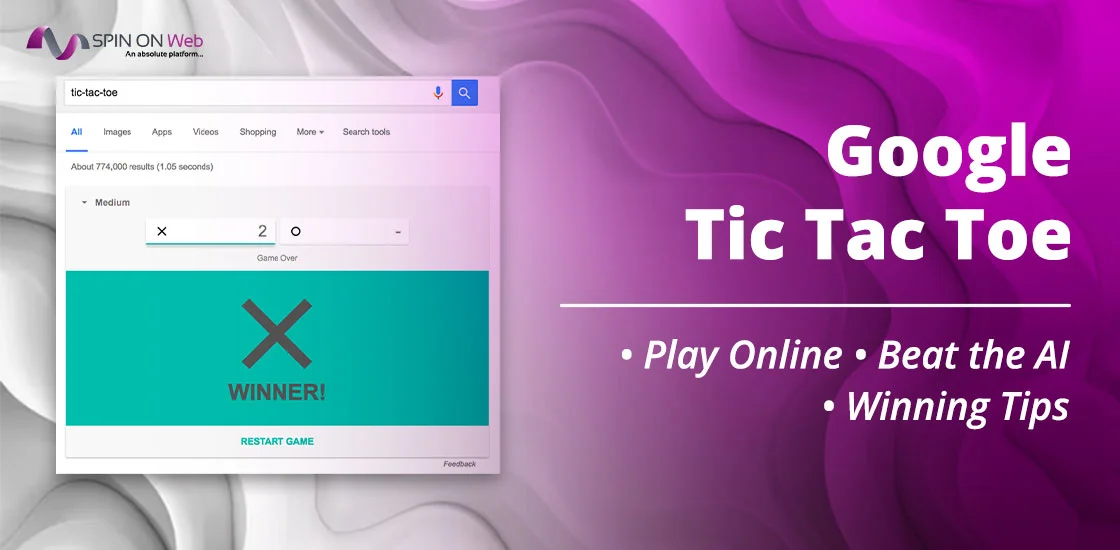
Looking for something exciting to play games but have no friends with you? Google Tic Tac Toe can become a constant companion for you. You can type google Tic Tac Toe on your phone’s browser, and an integrated feature is displayed at the top most section of the SERPs. Click and start playing. In case you are new to the Google Tic Tac Toe game, this post covers everything you need to know about this game.
What is Google Tic Tac Toe?
Google Tic Tac Toe is a fun game accessible online. The game typically requires two players, each choosing either a circle or a cross icon. The goal of the game remains to make a straight line with three of the same icons in a row. So, it could be three times ‘X’ or ‘cross’ or zero or ‘O’ three times diagonally, vertically, and horizontally.
The game’s appearance looks like a 3×3 box.
Unlike traditional tic tac toe, Google offers an online facility to play and refresh the game right with a click. It’s completely free and accessible for all. When you search for the game, it loads right inside the search results page—above all other links—and you can start playing in under five seconds.
It’s part of a broader family of interactive features Google has embedded into its search engine over the years. The same way you can search “timer” and get a working countdown clock, or type “flip a coin” and get an actual coin flip.
Why Google Created the Game
Google has a long-standing tradition of adding Easter eggs and hidden features to its products. These range from the famous barrel roll animation to fully playable arcade games.
Tic-Tac-Toe fits into this category as what’s sometimes called a Google Search game or Google Easter egg game—an interactive surprise embedded in the search engine itself.
The practical motivation is user engagement. When people can accomplish something directly in Google’s interface—whether it’s getting a weather forecast, doing a unit conversion, or playing a quick game—they tend to associate the experience with Google’s helpfulness.
Tic-Tac-Toe is simple enough that it appeals to virtually everyone, from kids to adults looking for a thirty-second distraction.
How to Play Tic-Tac-Toe on Google
Learn to play this two-player Tic-Tac-Toe Google game step by step.
Step 1: Search “Tic-Tac-Toe” on Google
- Open Chrome, Safari, Edge, Firefox on your device.
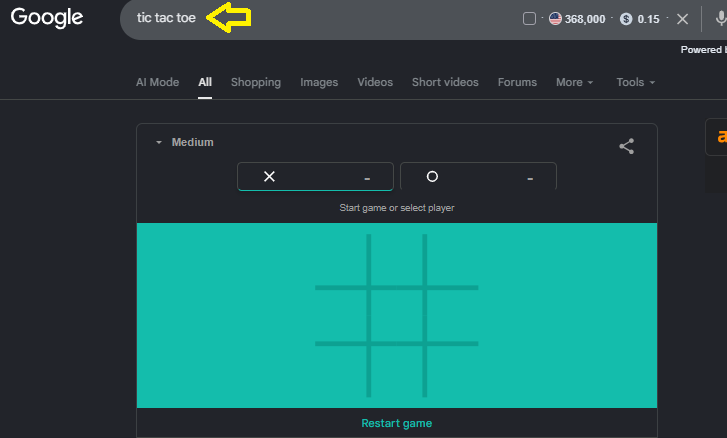
- Go to google.com and type ‘tic tac toe,’ or ‘google tic tac toe.’
- The game panel appears at the very top of the search results, above any website links.
Step 2: Start a New Game
Once the game panel loads, you’ll see a 3×3 grid with a few options below it. Simply click directly on any cell in the grid to start playing. The board tracks whose turn it is and marks X and O accordingly.
Step 3: Choose Your Difficulty Level
Before you start, you can choose from three difficulty options:
- Easy – The AI makes random or suboptimal moves. Beginners and young children will be comfortable here.
- Medium – The AI plays reasonably well but still makes occasional mistakes. A fair challenge for casual players.
- Impossible – The AI plays perfectly. You cannot beat it. You can only hope for a draw.
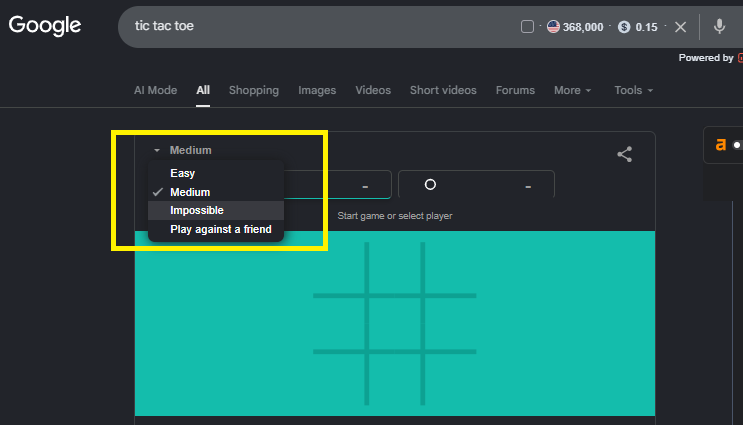
You can switch difficulty at any time by clicking the option before starting a new game. Changing it mid-game doesn’t take effect until the next round.
Google Tic-Tac-Toe Game Modes Explained
The game is packed with three difficulty levels, easy, medium, and impossible mode. Check below for detailed version:
1. Easy Mode
In Easy mode, the AI is programmed to make deliberate mistakes and suboptimal moves. It doesn’t consistently block your winning moves, and it occasionally places its mark in a suboptimal position even when a better move is obvious. This is the ideal setting for young children or anyone playing for the first time.
2. Medium Mode
Medium mode is where casual players will spend most of their time. The AI will usually block your obvious winning moves and take opportunities when they arise—but it still makes strategic errors. You can beat Medium mode with thoughtful play, and it gives you a decent sense of what Tic-Tac-Toe strategy looks like without being discouraging.
3. Impossible Mode
Impossible mode is exactly what it sounds like. The AI plays perfectly in every game. It does not make mistakes. It evaluates every possible board state before making its move and always selects the mathematically optimal choice. If you play optimally too, the game will always end in a draw. If you make a single mistake, the AI will win.
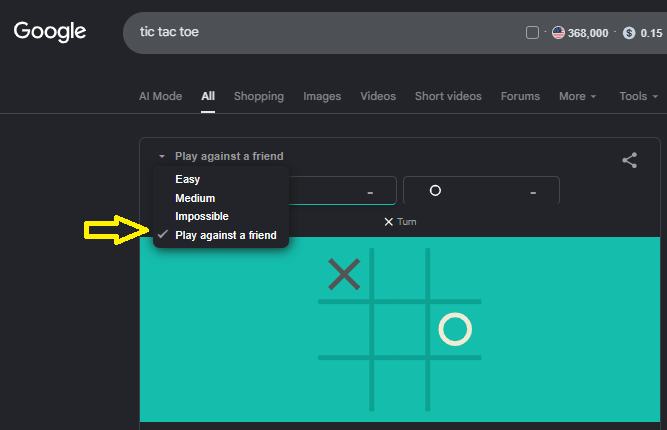
4. Play against a friend Mode
Play against a friend mode turns off the AI entirely. Both players share the same device and take turns tapping or clicking cells. There are no difficulty settings in this mode since you’re not playing against a computer. It’s a clean, simple way to play the classic game with someone next to you—no paper, no pencil, no arguing about who goes first (you always go first in this mode, so just decide beforehand who plays X).
Rules of Google Tic-Tac-Toe
If playing Tic-Tac-Toe for the first time, here’s a quick breakdown of how the game works.
1. Objective of the Game
Two players take turns marking spaces on a 3×3 grid. One player uses X, the other uses O. The goal is to be the first player to get three of your marks in a straight line—horizontally, vertically, or diagonally. Google assigns you X and the AI takes O (or vice versa depending on the session).
2. Winning Conditions
You win if you manage to place three of your marks in any of the following patterns:
- Three across any horizontal row (top, middle, or bottom)
- Three down any vertical column (left, center, or right)
- Three diagonally from corner to corner
The game detects wins automatically and highlights the winning line, then shows the result and asks if you want to play again.
3. Draw Situations
If all nine squares are filled and neither player has three in a row, the game ends in a draw (sometimes called a “cat’s game”). This happens frequently when both players play well. Against Impossible mode, a draw is the best outcome you can achieve.
Best Strategies to Win at Google Tic-Tac-Toe
Learn the tips to win the game at any level. You’ll never beat Impossible mode with raw intuition. But you can absolutely beat Easy and Medium, and you can guarantee draws on Impossible, using these strategies.
1. Always Take the Center First
If you move first, take the center square (position 5 on a 3×3 grid).
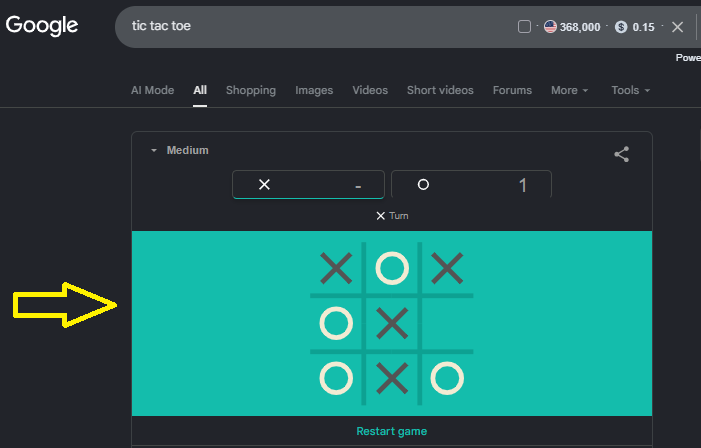
This gives you access to the most winning lines—four total, compared to two for edge squares and three for corners. Against Easy and Medium mode, controlling the center early significantly increases your win rate. Against Impossible mode, it gives you the best chance of forcing a draw.
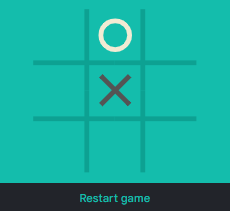
2. If Center Is Taken, Go to a Corner
If the AI moves first and takes the center, take a corner. Corners give you access to three winning lines each (one row, one column, one diagonal).
Avoid taking edge squares (the middle of each side) as your first move—they’re the weakest starting positions in the game and give you fewer options as the board fills up.

3. Create Multiple Winning Opportunities (The Fork)
The most powerful offensive move in Tic-Tac-Toe is the “fork”—a position where you have two different ways to win simultaneously. Your opponent can only block one. The other wins you the game.
Creating forks requires planning two or three moves ahead. The setup usually looks like placing marks in two non-adjacent corners, then placing a third mark that forces your opponent to block one threat while leaving the other open.
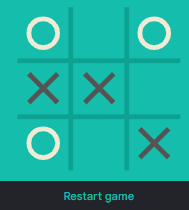
4. Block Your Opponent Early
Whenever your opponent has two marks in a row with an open third square, block it—immediately, on your next turn. Many beginners lose because they’re focused on their own attack and miss an obvious opponent threat. The AI never misses yours. Don’t miss theirs either.
Note: I selected ‘X’ icon while playing the game and demonstrated the best practices to win the game accordingly.
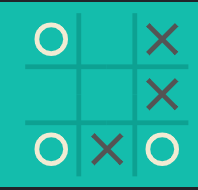
Avoid Common Beginner Mistakes
- Don’t take an edge square as your first move. It’s the weakest starting position.
- Don’t ignore threats. One unchecked pair of your opponent’s marks will cost you the game.
- Don’t assume you need to win—against Impossible mode, aiming for a draw from the start is the rational strategy.
- Don’t try random approaches and hope for the best. Tic-Tac-Toe is a fully deterministic game. Random play leads to consistent losses.
Google Tic-Tac-Toe vs. Other Online Tic-Tac-Toe Games
There are dozens of websites and apps offering Tic-Tac-Toe online. So what makes Google’s version worth choosing? Here’s an honest comparison:
| Feature | Google Tic-Tac-Toe | Other Websites |
| No Download Required | ✓ Always | Varies |
| AI Difficulty Levels | Easy / Medium / Impossible | Usually 1–2 levels |
| Ads | Minimal | Often many |
| Multiplayer Mode | ✓ Built-in | Usually available |
| Account Required | None | Sometimes |
| Mobile Support | ✓ Android & iOS | Varies |
| Free to Play | ✓ Always | Mostly |
| Load Speed | Instant | Variable |
Summary: Google’s tic tac game wins on convenience and trust. The game is quick with no friction, no ads cluttering the screen, and no privacy concerns; the Google version is hard to beat. It’s also pre-installed in the sense that anyone with a browser and internet access already has it.
Other Hidden Google Games You Should Try
There are other games from Google’s end which you can try and enjoy your free time. If you want to have fun with coins, Google Coin Flip could be a good virtual coin-tossing game, refreshed instantly and completely unpredictable. If you are into music and need a free assistant, try Google tuner. And if you need an online measurement tool for DIY work, Google offers spirit level measurement tool which you can utilize and measure small surfaces.
Frequently Asked Questions
Is Google Tic-Tac-Toe Free?
Yes, completely. There’s no premium version, no in-app purchase, and no subscription tier. It has been free since it launched and shows no signs of changing.
How do I open Tic-Tac-Toe on Google?
Go to google.com in any browser and type “tic tac toe” in the search bar. The game will appear at the top of the results page. Click or tap any cell to begin.
Can I play Google Tic-Tac-Toe with friends?
Yes. The game has a built-in two-player mode. Before starting a game, look for the “Play against a friend” option below the difficulty selector. Both players share the same device and take turns.
Is Google Tic-Tac-Toe available on mobile?
Yes, the game works on Android and iPhone using any modern mobile browser, including Chrome, Safari, Edge, and Firefox. The board is touch-responsive and scales to fit your screen.
Can anyone beat Google’s Impossible mode?
No. Google’s Impossible mode uses a minimax algorithm that plays mathematically perfect Tic-Tac-Toe. Because Tic-Tac-Toe is a solved game, optimal play against the AI will always result in a draw.
Does Google save my scores?
No. Google does not save your scores, track your win/loss history, or remember your difficulty preference between sessions.
Is there an offline version?
Not officially. Google Tic-Tac-Toe requires an internet connection to load within Google Search results. However, many standalone apps (on both iOS and Android) offer offline Tic-Tac-Toe if you need to play without internet access.
Does Google Tic Tac Toe Have 4×4 or 100×100 Grids?
Google’s official search widget only supports the classic 3×3 grid. If you are looking for expanded modes like 4×4, 5×5, or 100×100 Tic Tac Toe, these are available on third-party gaming platforms rather than the native Google Search Easter egg.