Pinterest does not pay you for posting Pins. You make money on Pinterest by sending people from your Pins to a place that earns: an affiliate product, your own store, a blog with ads, a digital download, or a brand deal. That difference is why many people post for a year and earn nothing, while others turn the same habit into steady monthly income.
Pinterest is a visual search engine with 661 million monthly active users (Q3 2026), and people come here to plan what to cook, wear, buy, or build next. Whether you are a beginner, blogger, student, digital artist, or store owner, this guide shows you which methods actually work, how much traffic you need, and what real Pinterest users say about turning their account into a side hustle or passive income source.
Quick Overview
- Does Pinterest pay creators? No. The Creator Rewards program ended on November 30, 2022. Today, income comes from what your Pins link to.
- Best ways to earn: Affiliate marketing, blog traffic with display ads, selling physical products, selling digital products, print-on-demand, paid brand partnerships, Amazon Storefront tagging, lead funnels, and Pinterest management services.
- Best method for beginners: Pinterest affiliate marketing or simple digital products, because both are free to start and need no inventory.
- Followers needed: None for affiliate links, blog traffic, or product sales. Brands may ask for a minimum audience.
- Metric that matters most: Outbound clicks, not views. A 2 to 3% outbound click rate is considered good by experienced pinners.
- Time to first income: Most real users report 3 to 5 months before traffic becomes consistent.
- Cost: Free to start. You only pay if you run Pinterest Ads or use paid tools like Tailwind.
Does Pinterest Pay You Directly for Pins or Views?
No, Pinterest does not pay creators per view, per Pin, or per follower. Pinterest ran a Creator Rewards program that paid bonuses for Idea Pins, but it shut down on November 30, 2022. Idea Pins were also later merged into regular Pins.
This is the biggest myth beginners fall for. You can have 100,000 monthly views and still earn ₹0 or $0 if your Pins do not link anywhere that can make money.
Important Point! Monthly views only show how many times your Pins appeared on screens. Money is made only when someone clicks through and buys, signs up, or reads a monetized page.
Can You Really Make Money on Pinterest?
Yes, but only with a plan. You can’t earn money by just posting pretty images. Serious Pinterest monetization needs three things working together:
- A money destination: A product page, blog post, landing page, or shop listing.
- Search-friendly Pins: Keyword-rich titles, descriptions, and boards so Pinterest can show your Pins to the right searchers.
- Consistency: Fresh Pins every week for months, not a burst of 50 Pins and then silence.
Pinterest also has strong buying intent. The platform handles more than 80 billion searches a month, and Pinterest says over half of them are commercial in nature. That is why Pinterest traffic often converts better than casual social media scrolling.
What Do Real Pinterest Users Say Works (and What Doesn’t)?
We went through a popular r/Pinterest thread where a user asked, “How can I earn from Pinterest after posting for a year?” The thread has 40+ replies from beginners and people who are already earning. Here is what the earning users shared.
Note: This is a small sample from one discussion, not a scientific survey. Still, the pattern is very clear.
| What Reddit users reported | Share of users who shared a working method | Takeaway |
| Send Pinterest traffic to an external site, shop, or link | 100% (5 of 5) | Nobody earning in the thread relied on Pinterest paying them. |
| Use a blog or website with display ads and affiliate links | 60% (3 of 5) | Recipe and home niches came up again and again. |
| Sell their own products (shop, Etsy, coloring books, etc.) | 40% (2 of 5) | Works well when you already have something to sell. |
| Took 4 to 5 months before traffic was consistent | 1 of 5 (the top earner) | The first months feel slow. Growth is back-weighted. |
What worked for them:
- Pin → blog post → affiliate link. The top earner, a recipe blogger with about 23,000 outbound clicks a month, said landing people on helpful content first converts better than linking straight to a product.
- 5 to 10 Pins a day, scheduled with Tailwind. The same user stressed that 5 Pins every day beats 30 Pins once a week.
- Clicky niches. Recipes, home goods, storage ideas, and “best X” style buying keywords were mentioned as better converters.
- Upgrading ad networks as traffic grows. Users mentioned starting with networks that accept small sites, then moving up to premium networks once monthly sessions grow.
What did NOT work:
- Chasing views in the wrong niche. One user had 140,000 views but only a 0.1% outbound click rate. That was not enough to earn anything.
- Pins that link nowhere. The most common “missing piece” after a year of pinning was that Pins did not link to a page that could make money.
- Getting views before setting up monetization. A perfume creator reached 55,000 monthly views in one month but had no approved affiliate program, so the traffic went nowhere.
- Relying only on Amazon links. A user pointed out Amazon’s 24-hour cookie window. Items added to the cart within those 24 hours can still earn you a commission for up to 90 days. But if a pinner saves your Pin and clicks again three days later from somewhere else, you may not get credit.
How to Set Up Pinterest to Make Money (Beginner Steps)
Before you pick a monetization method, set up these foundations. They take a day or two, and they decide whether your Pins get found at all.
1. Switch to a Free Business Account
Follow the steps below.
- Log in to your personal Pinterest account at www.pinterest.com/login.
- Head to the Gear icon or the dropdown menu next to your profile.
- Open Settings.
- Choose Account Management.
- Look for Convert to a business account.
- Click on Convert account.
- Fill in the details to Build your Profile and click Next.
- Describe Your Business and click Next again.
You will be able to access:
→ Pinterest Analytics and audience insights
→ Pinterest Trends
→ Pinterest Ads and shopping features
→ Rich Pins and website claiming
A business account is designed for merchants, creators, bloggers, publishers, and brands. It is free and you can switch back anytime.
2. Optimize Your Profile and Claim Your Website
Claim your website first. It connects your site to your account, gives you analytics for Pins from your domain, and adds a trust signal to your profile. Then optimize these profile elements.
- Keyword-rich Name: Add a niche keyword next to your name, for example “Riya | Easy Indian Recipes.” It helps people and Pinterest understand your topic.
- Strategic Bio: Clearly explain what you share and who it is for, using natural keywords.
- Branded Visuals: Use your logo or a clear face photo, plus a cover image that matches your niche.
- Keyword-Focused Boards: Name boards after real searches, such as “Small Kitchen Storage Ideas,” not vague titles like “My Stuff.”
3. Use Rich Pins
Rich Pins automatically pull information from your website, such as article headlines, product prices, and recipe details, and attach it to your Pins. If you update your site, Rich Pins update too, without re-pinning.
Rich Pins build trust because shoppers see accurate, up-to-date details.
Note: To enable Rich Pins, your website needs metadata (Open Graph or schema). On WordPress, SEO plugins like Yoast or Rank Math add this for you.
4. Master Pinterest SEO
Pinterest works like a search engine, not a social feed. It shows Pins based on keyword relevance and search intent rather than follower count. So think like your customer before you post anything.
- Find keywords: Type your niche keyword into the Pinterest search bar. The suggestions that appear are what people are actually searching for.
- Place keywords naturally: Use them in Pin titles, Pin descriptions, board names, board descriptions, and your profile.
- Target buying keywords: Terms like “best,” “budget,” “for beginners,” or “gift ideas” attract people closer to purchasing.
- Create Vertical Pins: Use a 2:3 ratio. 1000 x 1500 pixels is the standard size. Taller images may get cropped in the feed.
- Include Clear CTAs: Text like “Get the free checklist” or “See the full recipe” gives people a reason to click.
You can also use the Pinterest Trends tool, Google Trends, or Semrush to understand your audience and what they search for.
5. Post Pins Consistently
Consistency matters more than volume.
- Frequency: Aim for 3 to 10 fresh Pins daily if you can. Earning Reddit users post 4 to 10 Pins a day.
Note: One high-quality, well-optimized Pin can drive better results than a dozen rushed posts. Never sacrifice quality for quantity.
- Scheduling: Use Pinterest’s free built-in scheduler. If you want more automation, Tailwind is a popular paid tool for scheduling and keyword research.
- Content Variety: Try image Pins, video Pins, and multi-image Pins. If you already create short vertical videos for Instagram, many of the same family Reels ideas can be resized into video Pins for parenting, home, and lifestyle boards.
- Audience Engagement: Reply to comments and save relevant Pins from others to stay active in your niche.
Pro Tip! Pinterest prefers fresh Pins, meaning new images or videos it hasn’t seen before. You don’t need to save the same old Pin to 10 boards. Instead, when you publish a new blog post or product, create 3 to 5 different Pin designs that link to it.
6. Add a Save Button to Your Website
The Pinterest Save button lets visitors save images from your site to their boards. Every save puts your content in front of more people and sends more traffic back to you.
7. Track Your Analytics
Pinterest Analytics shows how your Pins perform so you can do more of what works.
For Web:
- Open your Pinterest business account.
- Click Analytics in the top menu (on some layouts it sits under the menu icon).
- Choose Overview.
For Android and iOS:
- Open Pinterest.
- Tap your Profile picture.
- Tap the chart bar icon.
- Choose Analytics.
For image Pins, you’ll see Impressions, Saves, Pin clicks, Outbound clicks, and Follows. For video Pins, you’ll also see Video views, Watch time, and Average watch time.
Important Point! Watch outbound clicks above everything else. That is the number of people who left Pinterest to visit your link, and it is the only metric that turns into money.
8. Plan Around Seasonal Trends
Use the Pinterest Trends tool to see rising keywords.
- Use the tool: Visit trends.pinterest.com and filter by region, age, interest, and trend type (seasonal, growing, monthly, or yearly).
- Identify Gaps: Check Related Trends to find angles your competitors are missing.
- Plan Ahead: Publish seasonal content 4 to 6 weeks before a holiday or seasonal spike, like Diwali, Christmas, or back-to-school. Pins need time to get indexed and shown.
9. Test Different Pin Formats
For Image Pins:
- Vertical image: 1000 x 1500 pixels (2:3 aspect ratio)
- Square Pins: 1000 x 1000 pixels (1:1 aspect ratio)
Test different text overlays, colors, and CTAs.
For Video Pins: Use a 9:16 ratio at 1080 x 1920 pixels. Test video lengths, motion graphics, cover images, and text overlays.
For Product Pins: Test lifestyle shots vs. plain backgrounds, short demo videos, and different angles or use cases.
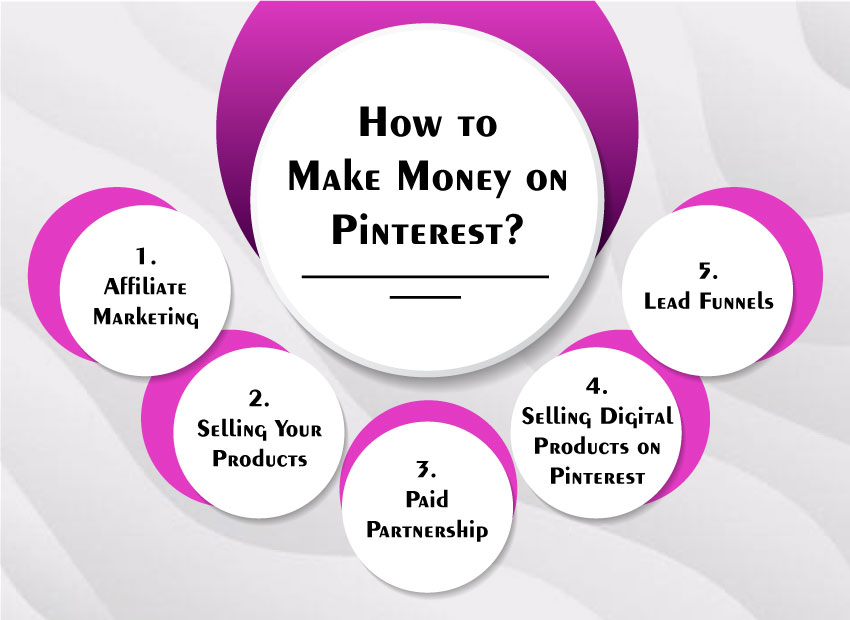
How to Make Money on Pinterest? 9 Ways Explained With Examples
Now, let’s look at each monetization strategy, how it works, and a realistic example.
| Method | Need a website? | Startup cost | Best for |
| Affiliate marketing | No (but helps) | Free | Beginners, curators |
| Amazon Storefront tagging | No | Free | Amazon Influencers, product curators |
| Blog traffic + display ads | Yes | Low (hosting) | Writers, recipe and home bloggers |
| Selling physical products | Store or marketplace | Medium | E-commerce sellers, small businesses |
| Selling digital products | Shop link (Etsy, Gumroad, etc.) | Low | Designers, Canva creators, teachers |
| Print-on-demand | POD store | Low | Designers, artists |
| Paid brand partnerships | No | Free | Creators with an engaged audience |
| Lead funnels | Landing page | Low | Coaches, B2B brands, service providers |
| Pinterest management services | No | Free | Students, freelancers, marketers |
1. Pinterest Affiliate Marketing (Best for Beginners)
Affiliate marketing is the most popular way to make money on Pinterest. You share a product link from an affiliate program. When someone clicks your Pin and buys, you earn a commission.
Step 1: Join an Affiliate Program
Pinterest is not an affiliate program itself, so you need to join one. Popular choices among pinners include Amazon Associates, LTK, Rakuten Advertising, ShopStyle Collective, Impact.com, CJ, and brand-direct programs.
Pinterest also lets you tag products in your Pins with affiliate links, but this feature is available only in select markets.
Note: Your commission depends entirely on the merchant and program you choose. Also, check each program’s rules. Some merchants do not allow direct linking from social media, and some reject brand-new accounts with no content.
Step 2: Create a Pin
Create a new Pin and upload an original image or video. Write a title and description that match the product page, with relevant keywords.
Warning! Don’t use link shorteners or cloaking tools like Bitly or Pretty Links for affiliate Pins. Pinterest’s guidelines follow a “no surprises” principle, meaning pinners should be able to guess where a link goes. Shortened or redirected links can be flagged as spam or blocked.
Step 3: Add the Affiliate Link and Disclosure
- Affiliate link: Paste your full affiliate link in the destination link field. Pinterest asks that it go straight to the product detail page, not a collection of items.
- Title and Description: Make sure they accurately describe what people will find on the linked page.
⚠️ Mandatory Disclosure: Add a clear disclosure such as #affiliate or #ad in your Pin description. Pinterest’s Community Guidelines require transparency about commercial content, and the FTC’s disclosure rules apply if you reach U.S. audiences. Pinterest may limit or remove content that breaks these rules.
Important Points!
- Create original Pins that add real value, not copied product photos.
- Check that every affiliate link works.
- Use affiliate links in moderation. Pinning affiliate content repetitively or in large volumes can be treated as spam.
- Run one authentic account. Multiple accounts pushing the same links break Pinterest’s rules.
Direct Link vs. Blog Post: Which Converts Better?
Both are allowed. But experienced pinners on Reddit say Pin → blog post → affiliate link usually converts better than Pin → product. A helpful post warms people up, lets you add several products, and gives you a page you can also monetize with ads. It also helps with short cookie windows, because people can bookmark your post and come back.
Real Example:
A personal finance blogger creates Pins for “how to start freelancing as a student.” The Pin links to a blog post that recommends Fiverr and a few online course platforms through affiliate links. When a reader signs up through those links, the blogger earns a commission.
2. Amazon Storefront Linking (New in 2026)
This is one of the biggest gaps in most “make money on Pinterest” guides. In 2026, Pinterest started letting creators link their Amazon Storefront directly to their Pinterest account.
Once connected, your affiliate link is applied automatically whenever you tag an eligible Amazon product in a Pin. No copy-pasting affiliate IDs one by one. Eligible creators can also show their Amazon Storefront handle on their Pinterest profile.
How to set it up:
- Make sure you have an Amazon Storefront through the Amazon Influencer Program.
- On Pinterest, go to Settings and open Linked Accounts.
- Connect your Amazon Storefront.
- Tag eligible Amazon products in your Pins using the product tagging option.
Note: Availability and eligibility depend on your country and account. If you don’t see the option, it may not be live for your region yet.
Real Example:
A home organization creator posts a “small pantry makeover” video Pin and tags the exact storage bins and labels from Amazon. Viewers tap the tagged products, and the creator’s affiliate commission is applied automatically.
3. Drive Traffic to a Monetized Blog
This is the method most long-term earners on Reddit use. You write helpful blog posts, create several Pins for each post, and earn from display ads, affiliate links, or both on your website.
How it works:
- Start with display ads: Google AdSense or beginner-friendly networks work for new sites.
- Upgrade as traffic grows: Premium ad networks usually pay more but require a minimum number of monthly sessions.
- Add affiliate links inside posts: Product roundups and “best X for Y” posts earn from both ads and commissions.
Pro Tip! If AdSense rejects your site, Reddit users suggest having at least 15 to 20 substantial posts plus About, Contact, and Privacy Policy pages before reapplying.
Real Example:
A recipe blogger publishes “15-minute paneer recipes” and creates five different Pin designs for it. Each Pin links to the recipe post. The blog earns from display ads on every visit and from affiliate links to kitchen tools mentioned in the recipe.
4. Selling Your Products
If you already sell something, Pinterest can send shoppers straight to your product pages.
Step 1: Turn Products Into Product Pins
Product Pins, also called shoppable Pins, show details like price and availability directly on the Pin.
- For Established E-commerce Merchants: Connect your Shopify, WooCommerce, or other store, or upload a product catalog. Pinterest creates Product Pins for each item automatically.
- For Beginners: Upload a lifestyle photo and manually tag products in it, linking to the exact product page.
Step 2: Make Buying Easy
Customers don’t want to hunt for your product.
- The Golden Rule: Every Pin should link to the exact product page so buyers can purchase in a click or two.
- Don’t Make This Mistake: Never link to your home page. If someone clicks a Pin of black leggings and lands on your activewear home page, they will leave.
- Fix your product pages too: Fast loading, clear photos, keyword-optimized titles, and reviews help Pinterest visitors convert. If your store pages need work, a solid e-commerce SEO strategy improves both Google rankings and the pages your Pins send people to.
Step 3: Boost Sales With Pinterest Ads (Optional)
Pinterest Ads don’t need a big budget to start. Promote Pins that are already getting saves and clicks organically, so you spend money on proven content.
Step 4: Check What Is Working
- Outbound Clicks: How many people visited your store from Pinterest.
- Top Pins: If one style of Pin gets more clicks, create more like it.
- Pinterest Tag: Install it on your site to track add-to-carts and purchases from Pinterest.
Real Example:
A small décor business owner in Jaipur sells handmade lamps on Amazon. Instead of waiting for buyers, they create Lifestyle Pins showing the lamps in cozy living rooms and use Product Tagging. They add the Pins to a board called Boho Home Decor Inspiration. When someone searches living room lighting ideas, the Pin appears, and the user taps through to the product listing to buy.
5. Selling Digital Products
Digital products are one of the most profitable options because you create them once and sell them many times. Popular items include printables, planners, Canva templates, e-books, worksheets, presets, and online courses.
How Can You Sell Digital Products on Pinterest?
- Link to your shop: Host your product on Etsy, Gumroad, Shopify, Payhip, or your own site and Pin the direct product page.
- Use Pinterest catalogs: If your store supports a product feed, you can upload it so your items show as Product Pins.
- Show the product in use: Mockups, “before and after,” and short demo videos sell digital products far better than flat covers.
Key Points to Consider!
- Pick a specific niche, such as “wedding planning printables,” not “printables.”
- Read Pinterest’s commerce and merchant guidelines before listing.
- Use the Pinterest Tag and Conversions API to measure sales accurately.
Real Example:
A graphic designer creates Instagram aesthetic templates in Canva. They post Pins showing “how to edit these templates in 2 minutes.” When a buyer taps the Pin, they land on the designer’s Etsy listing, buy, and download instantly.
6. Print-on-Demand (POD)
With print-on-demand, you design t-shirts, mugs, posters, or tote bags, and a service like Printify or Printful prints and ships them only when someone orders. You never hold inventory.
How to start:
- Choose a niche with strong Pinterest demand, such as teacher gifts, pet lovers, or minimalist wall art.
- Create designs and list them in your POD store or Etsy shop.
- Pin mockups in real-life settings, like a mug on a desk or a poster on a nursery wall.
- Link each Pin to the exact product listing.
Real Example:
An artist designs “Plant Mom” mugs and posters. Their Pins target searches like “gifts for plant lovers” and link to the Printify-powered store. Each sale earns the difference between the retail price and the printing cost.
7. Paid Partnerships (Sponsored Content)
Brands pay creators to make Pins that feature their products. Pinterest’s Paid Partnership tool lets you tag the brand and show a “Paid partnership” label, which keeps the deal transparent.
Note: Pinterest does not set up these deals for you. You and the brand agree on the partnership outside Pinterest, and the brand needs to be on Pinterest for you to tag it. The Paid Partnership tool is available in more than 30 countries.
For Creators: How to Add the Paid Partnership Label
- Open Pinterest.
- Tap the “+” icon.
- Choose Pin.
- Add one or more videos or photos and choose Next.
- You can also capture a new photo or video by tapping the camera icon.
Pro Tip! Adding multiple photos or videos combines them into a single Pin.
- Edit your Pin and tap Next.
- Enter the Pin details (title, description, link, board).
- Open Advanced Settings.
- Turn on Add paid partnership label.
- Choose Add a brand partner and search for the brand.
Note: You can tag only one brand per Pin.
- Tap Add, go back, review your Pin, and tap Create.
After you publish, the Pin shows the “Paid partnership” label. The brand receives a request and can approve or decline it. Once approved, the brand’s name appears next to the label.
For Brands: How to Approve a Tag
- Log in to your Pinterest business account.
- Go to the bell icon (notifications).
- Open the tag request from the creator.
- Approve the tag.
Either side can remove the paid partnership label later from the Pin’s three-dot menu by choosing Remove Partnership. Keep in mind that once removed, the tag can’t be added back to that Pin.
How Do You Get Brand Deals as a Small Creator?
- Build a niche portfolio of 30 to 50 strong Pins first.
- Share your engagement and outbound click stats, not just monthly views.
- Pitch smaller and mid-sized brands in your niche, since they are more open to new creators.
- Join influencer platforms where brands look for Pinterest creators.
Real Example:
A home décor creator partners with a furniture brand to create a “small balcony makeover” video Pin featuring the brand’s foldable chairs. The creator tags the brand using the Paid Partnership tool and earns a flat fee agreed on beforehand.
8. Lead Funnels (Build an Email List)
A lead funnel turns Pinterest visitors into email subscribers you can sell to later. This is how coaches, service businesses, and B2B brands earn from Pinterest even when they don’t sell directly on it.
Every funnel has three levels.
Build Awareness (Top of Funnel)
Reach people looking for ideas and inspiration. Video Pins and educational Pins work well here. Use soft CTAs like “Learn more” or “Find out how.”
Drive Consideration (Middle of Funnel)
People now know you exist. Send them to helpful landing pages, blog posts, or a free lead magnet like a checklist, template, or mini-guide in exchange for their email.
Get Conversions (Bottom of Funnel)
Retarget people who visited your site or engaged with your Pins using Pinterest Ads. If you upload a product feed, Pinterest can turn your products into Pins automatically and show them to people with similar interests.
This works especially well for B2B companies, since buyers often research for weeks before contacting anyone. Pinterest fits naturally into a wider B2B content marketing plan built around guides, checklists, and case studies.
Real Example:
A digital marketing agency creates Pins for “free SEO audit checklist.” The Pin links to a landing page where visitors enter their email to download it. The agency then sends a short email series and offers a paid audit to interested subscribers.
9. Offer Pinterest Management Services
Many businesses know Pinterest can drive traffic but don’t have time to manage it. Pinterest managers and virtual assistants handle Pin design, keyword research, scheduling, and reporting for clients.
Skills you need: Canva or design basics, Pinterest SEO, scheduling tools like Tailwind, and the ability to read analytics.
How to start: Grow your own account or a friend’s account first, then use those results as a case study. Freelance platforms, local businesses, and bloggers are good first clients. This is also one of the best options if you want to make money on Pinterest as a student, since you only need a laptop and skills.
If you are a business owner who would rather hand this off, professional Pinterest marketing services can manage the full strategy for you.
Real Example:
A college student learns Pinterest SEO and Canva, grows a small recipe blogger’s outbound clicks over three months, and uses that result to land two more blogger clients on a monthly retainer.
How Much Money Can You Make on Pinterest? (Real Math)
It depends on your traffic, niche, and method. Instead of guessing, use this simple formula that experienced pinners use:
Monthly views × outbound click rate × earnings per visitor = monthly income
Reddit users shared these benchmarks:
- Good outbound click rate: 2 to 3% of views.
- Weak niche: As low as 0.1%.
- Display ad earnings: Roughly $5 to $50 per 1,000 visitors, depending on niche, country, and ad network.
| Monthly views | Outbound click rate | Site visitors | Ad income at $20 per 1,000 visitors |
| 26,000 | 0.8% (real Reddit example) | ~200 | ~$4 |
| 100,000 | 1% | 1,000 | ~$20 |
| 1,000,000 | 2% | 20,000 | ~$400 |
| 5,000,000 | 3% | 150,000 | ~$3,000 |
Note: These are illustrative estimates for ad revenue only. Affiliate commissions and product sales can earn much more per visitor, which is why most successful pinners combine methods.
For brand partnerships, there is no standard rate. Fees vary widely based on your niche, engagement, and content quality, and many new creators start with free products before getting paid deals.
How Many Followers Do You Need on Pinterest to Make Money?
You don’t need a minimum number of followers to make money on Pinterest. People use Pinterest to find ideas through search, not to follow individuals. A well-optimized Pin from a brand-new account can rank and drive clicks.
What actually matters:
- Niche relevance
- Outbound clicks and saves
- High-quality, keyword-optimized Pins with clear CTAs
Keep two points in mind:
- Some brands and affiliate programs set minimum audience or traffic requirements before they work with you.
- If you don’t meet those yet, focus on outbound clicks to your own blog or shop and on problem-solving Pins like tips, recipes, tutorials, and buying guides.
Can You Make Money on Pinterest Without a Blog or Showing Your Face?
Yes. You can earn without a blog through direct affiliate links, Amazon Storefront tagging, digital products on Etsy or Gumroad, and print-on-demand stores. You don’t need to show your face either. Product photos, flat lays, text-based Pins, and faceless video Pins all work.
You can also run everything from your phone. The Pinterest app lets you create, schedule, and track Pins, and Canva’s mobile app handles design.
Making money on Pinterest with Canva: Canva works for both sides of the business. Use it to design Pins and video Pins, and also to create sellable products like planners, social media templates, wedding invites, and printable wall art. Check Canva’s license terms before selling templates, especially if you use premium elements.
Important Point! Without a blog, you depend more on affiliate programs’ rules and cookie windows. A simple blog or landing page gives you more control and more ways to earn from the same visitor.
Best Niches for Pinterest Earnings
Choose a niche where people both search and click. These consistently perform well.
Home, DIY, and Organization: Before-and-after transformations and tutorials do very well. Popular searches include:
- Organization tips
- Cleaning hacks
- Storage ideas
- Beginner-friendly DIY projects
Food, Recipes, and Meal Prep: This niche solves daily problems and was the top earner in the Reddit thread. It includes:
- Quick dinners
- Slow-cooker and air fryer recipes
- Meal prep plans
- Budget-friendly meals
- Holiday and festival menus
Beauty, Fashion, and Lifestyle: Great for affiliate marketing and brand deals. Popular content includes:
- Seasonal lookbooks
- Outfit ideas
- Skincare routines
- Curated product lists
- Capsule wardrobes
Personal Finance, Budgeting, and Planning: Perfect for printables and bloggers. People look for:
- Saving challenges
- Budget templates
- Planners
- Debt-payoff strategies
- Side hustle ideas
Digital Products and Online Business: Time-saving products sell well, including:
- Checklists
- Templates
- Canva-based products
- E-books
Niches to approach carefully: Pure inspiration niches like celebrity photos, quotes, or aesthetic wallpapers can get millions of views but very few outbound clicks.
Free Tools You’ll Need To Make Money on Pinterest
These free tools will streamline your Pinterest workflow.
| Tool | Purpose | Key features | Best use case |
| Pinterest Business account & Analytics | Measure performance | Impressions, saves, outbound clicks, top Pins/boards | Track what drives traffic and improve content strategy. |
| Pinterest Trends | Keyword and timing insights | Rising topics, seasonality, audience interests | Plan content calendars around high-intent keywords. |
| Pinterest built-in scheduler | Scheduling | Schedule Pins ahead of time | Stay consistent without posting manually every day. |
| Canva (free tier) | Visual creation | Pin templates, text overlays, video editing | Quickly produce vertical Pins and video Pin covers. |
| GIMP | Pro-level image editing | Layers, masks, filters | Advanced photo edits at no cost. |
| Photopea | Browser-based editor | PSD support, smart objects | Edit designs online without installing software. |
| Squoosh / TinyPNG | Image compression | Smaller file sizes, format conversion | Speed up the pages your Pins link to. |
| Remove.bg (free credits) | Background removal | AI cutouts | Clean product images for shoppable Pins. |
| Google Campaign URL Builder (UTM) | Tracking Pin performance | UTM parameters for source, medium, campaign | See which Pins drive sales on your own site. |
| Google Analytics (GA4) | Traffic and conversion tracking | Events, funnels, attribution | Find which Pins and pages convert. |
| Google Search Console | Site performance | Indexing, queries, Core Web Vitals | Make sure landing pages load fast and rank. |
| Coolors | Color palettes | Palette generator | Keep Pins cohesive and on-brand. |
| Hemingway Editor | Copy clarity | Readability highlights | Write clearer Pin titles, descriptions, and CTAs. |
Note: Use UTM tags only on links to your own website. For affiliate Pins, paste the full affiliate link and avoid shorteners.
Why Are You Getting Pinterest Views But No Money?
Usually, it’s because your views aren’t turning into outbound clicks, or your clicks land on a page that can’t earn. This is the most common problem in Pinterest forums. Here is how to diagnose it.
| Problem | Likely cause | What to do |
| High views, almost no outbound clicks | Inspiration-only niche or Pins without a reason to click | Add CTAs, target “how to” and “best X” keywords, and link to helpful content. |
| Outbound clicks, but no sales | Landing page doesn’t match the Pin, or loads slowly | Link to the exact product or post shown in the Pin and improve page speed. |
| Views suddenly dropped | Algorithm shifts or seasonal demand changes | Keep pinning fresh content. Reddit users said accounts that stayed consistent through drops recovered. |
| Rejected by an affiliate program | Not enough content, traffic, or a clear website | Build a small site or more Pins first, then reapply or try programs that accept beginners. |
| Pins flagged or links blocked | Shortened, redirected, or broken links | Use full, working URLs and avoid cloaking tools. |
What Pinterest Rules Should You Know in 2026?
Pinterest updated its Terms of Service, Community Guidelines, Advertising Guidelines, and GenAI rules, effective November 12, 2026. If you are monetizing, these points matter most:
- Spam and deceptive links: The updated Community Guidelines add a new “Scams, deceptive goods, and practices” section and a rewritten spam section. Never send an old Pin to an unrelated page.
- AI-generated Pins: Pinterest shows an “AI modified” label on image Pins it detects as AI-generated or edited. Users can also choose to see fewer AI Pins, so relying only on AI images can limit your reach. If your real photo is mislabeled, you can appeal.
- AI tool misuse: Under the new terms, abusing Pinterest’s generative AI tools can lead to losing those features or account suspension.
- Disclosures: Affiliate and sponsored Pins still need clear labels like #affiliate, #ad, or the Paid Partnership tag.
Pro Tip! Original photos, real product shots, and your own videos are your safest and most trusted content on Pinterest right now.
Your First 30 Days: A Simple Pinterest Monetization Plan
- Week 1: Convert to a business account, claim your website, pick one niche and one monetization method, and create 5 to 10 keyword-focused boards.
- Week 2: Do keyword research, prepare your money pages (blog posts, product listings, or affiliate links), and design your first batch of Pins in Canva.
- Week 3: Publish 3 to 5 fresh Pins daily using the scheduler. Add disclosures to every affiliate Pin.
- Week 4: Check Analytics. Note which Pins get outbound clicks and create new designs in that style.
Then keep going. Most real users see results start building between months 3 and 5.
Common Mistakes Beginners Make
- Pins that link nowhere: If your Pins don’t link to a product, blog post, or landing page, they can’t earn.
- Chasing views instead of clicks: High impressions with a 0.1% click rate means the niche or Pin design isn’t working.
- Poor-quality Pins: Blurry images, cluttered designs, and weak titles kill engagement.
- Ignoring Pinterest SEO: No keywords in titles, descriptions, or boards means Pinterest doesn’t know who to show your Pins to.
- Inconsistent pinning: Posting 50 Pins one day and nothing for two weeks.
- No clear niche: Mixing recipes, cars, memes, and fashion on one account confuses both Pinterest and your audience.
- Using link shorteners for affiliate links: This can get Pins flagged as spam.
- Skipping disclosures: Missing #affiliate or #ad tags break Pinterest rules and FTC guidelines.
- Linking to the home page: Always link to the exact product or post.
- Flooding your account with AI images: AI-modified labels and “see fewer” controls can reduce reach. Mix in real photos and videos.
- Ignoring mobile users: Most pinners browse on phones, so tiny text gets skipped.
- Using horizontal images: Vertical 2:3 Pins take up more space and get more attention.
- Giving up too early: The first 3 to 4 months often feel like nothing is happening.
Conclusion
Making money on Pinterest isn’t about views or followers. It’s about sending the right people to a page that earns. Pick one niche, choose one monetization method, link every Pin to a money page, and post fresh, keyword-optimized Pins consistently for at least 3 to 6 months. Start with affiliate links or digital products if you’re a beginner, add a blog when you’re ready for long-term traffic, and track outbound clicks every week. Follow this approach, and Pinterest can become a reliable source of side income or even a full business.
Commonly Asked Queries And Their Solutions
Here are quick answers to the questions people ask most about earning on Pinterest.
Q1. Can I earn money on Pinterest without a website?
Ans. Yes! You can use direct affiliate links, Amazon Storefront product tagging, Etsy or Gumroad listings for digital products, print-on-demand stores, or offer Pinterest management as a freelancer. A website simply gives you more control and extra income from ads.
Q2. How long does it take to make money on Pinterest?
Ans. Most people see early traction in 1 to 3 months, but steady traffic usually takes 4 to 6 months of consistent, optimized pinning. Affiliate and product sales can start sooner if your niche has strong buying intent. There is no fixed timeline.
Q3. Is Pinterest monetization free?
Ans. Yes. A business account, Pinterest Analytics, Trends, and the scheduler are all free. You only pay if you run Pinterest Ads or choose paid tools like Tailwind or premium Canva.
Q4. Which is better: affiliate marketing or selling products?
Ans. It depends on your goals.
- Affiliate marketing: Best for beginners who want low risk and no inventory. Commissions are smaller.
- Selling products: Best if you have a product idea or existing store. You keep more profit per sale, but it needs more setup. Digital products sit in the middle with low cost and high margins.
Q5. Can you make $100 a day with Pinterest affiliate marketing?
Ans. It’s possible, but not easy or quick. $100 a day is about $3,000 a month, which usually takes millions of monthly views, a strong buying niche, and a mix of affiliate links, ads, or products. Focus first on getting your outbound click rate to 1 to 3%, then scale.
Q6. Is 1,000 monthly views on Pinterest good?
Ans. For a brand-new account, it’s a normal starting point. At a 1 to 2% click rate, 1,000 views means only 10 to 20 visitors, so it won’t earn much yet. Keep publishing fresh Pins and monthly views typically grow over a few months.
Q7. Can you make money on Pinterest by posting pictures?
Ans. Not by pictures alone. Pinterest doesn’t pay for uploads. Your images need to link to something that earns, such as an affiliate product, your shop, a blog post, or a sponsored partnership.
Q8. Can I make money on Pinterest from India?
Ans. Yes. Indian creators can use affiliate programs like Amazon Associates India, sell digital products on global platforms, run a blog with ads, or offer Pinterest management to international clients. Some Pinterest features, like certain shopping tools, roll out by region, so check what is available in your account.