Have you ever taken a screenshot of someone’s Instagram story and wondered if they can catch you? Well, you’re safe! Currently, Instagram does not notify others when you screenshot their stories, posts, reels, and even DMs (a few exceptions exist).
In this guide, we will talk about screenshotting Instagram content – whether you can or cannot do it, and its alternatives.
Quick Answer:
No, Instagram does not notify users when you screenshot a Story. The same is true for Close Friends Stories, Highlights, posts, reels, and profiles. The only exceptions are certain disappearing messages in Direct Messages, where Instagram may send notifications for privacy protection.
In short: you can screenshot Stories without the other person knowing.
Why Do People Think Instagram Notifies Story Screenshots?
This confusion comes from a few real-world sources. Other apps like Snapchat notifies screenshots are taken, which is why people assume they get notified on Insta too. Also, A 2018 test briefly showed screenshot alerts for Stories, which is why some people still think Instagram notifies Story screenshots. However, in reality, this has been stopped by Instagram completely. Here’s why users think Instagram notifies screenshots:
1. Snapchat Influence
Snapchat does notify users when someone screenshots Stories or Snaps. Many users assume Instagram works the same way.
2. Old Internet Myths
Older blogs and outdated posts still circulate incorrect information about Instagram screenshot alerts.
3. TikTok Misinformation
Short-form content often repeats outdated or unverified claims about “Instagram screenshot notifications.”
4. Confusion with DMs
Instagram does notify in specific DM cases, which leads people to assume Stories are included too.
Did Instagram Ever Notify Story Screenshots?
Yes, but only briefly.
In the 2018 Instagram Screenshot Test Phase, they tested a Story screenshot notification feature only given to a small group of users. The feature showed a camera shutter icon next to people who screenshot their Stories, but Instagram ended the experiment the same year.
Why It Was Removed
- Users felt it reduced privacy flexibility
- Low user acceptance during testing
- Meta decided it was not aligned with platform behaviour
Since then, the feature has not returned globally.
Does Instagram Notify When You Screenshot a Story?
No, Instagram does not notify anyone when you take a screenshot of their Story or regular DMs. The only exceptions are vanish mode and disappearing messages in DMs, which can tell the other person about the screenshot within the chat interface.
It does not notify:
- Regular Instagram Stories
- Stories from private accounts
- Close Friends Stories
- Archived Stories (when viewed)
- Story Highlights
The person who posted the Story cannot see who screenshotted it and when. The action is completely hidden from the real poster. Instagram keeps Story screenshots private for normal Story viewing.
That does not mean Instagram is not protecting you from others.
Instagram protects its users through granular controls over who can see or interact with your profile, offering tools to block or restrict the person if you find they’re suspicious. Additionally, an extra layer of protection is provided by giving an option to private your account. This will restrict users (outside of your contacts), allowing only your followers to interact with your Instagram profile content.
Note: Instagram policies can change, so this applies to the current app behaviour as of 2026.
Does Instagram Notify Screenshots in Direct Messages?
Not in regular Direct Messages as well. You cannot find out if someone you are chatting with on Instagram has captured the chat in regular DMs. It’s only possible when the vanish mode is enabled on the chat, or you’re sending disappearing messages.
Screenshot Notification for Regular Chat |
No |
Screenshot Notification for Normal Photos Sent in Chat |
No |
Screenshot Notification for Disappearing Photos/Videos and Vanish mode |
Yes |
Does Instagram Notify Screenshots in Vanish Mode?
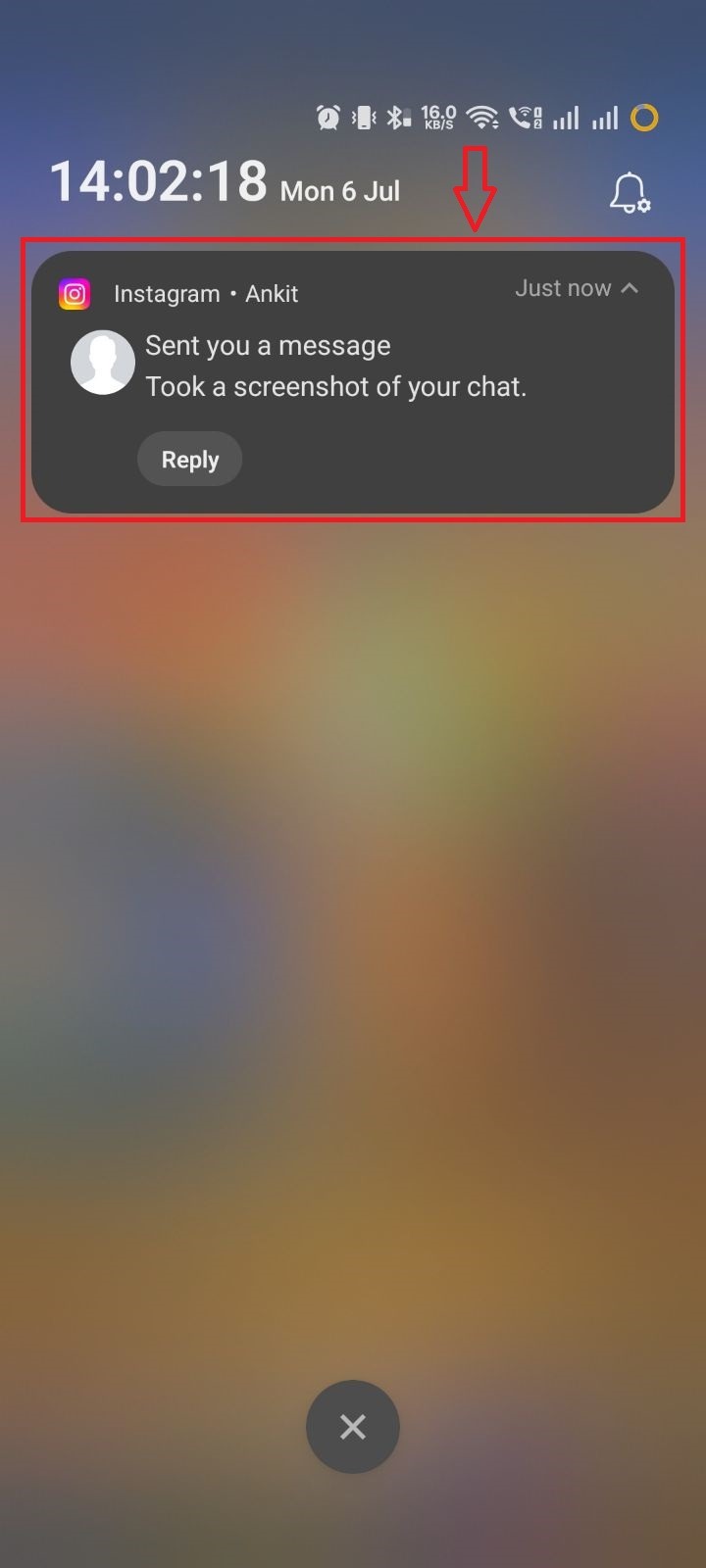
Yes. When you chat with someone on Instagram with vanish mode turned on, you get a small alert if a screenshot is taken. This alert appears within temporary conversations and also in the notification bar (if allowed). It applies to all types of content in Vanish mode. You can check the screenshot below, where I demonstrated it myself:
In Notification Bar:
Within The Chat:
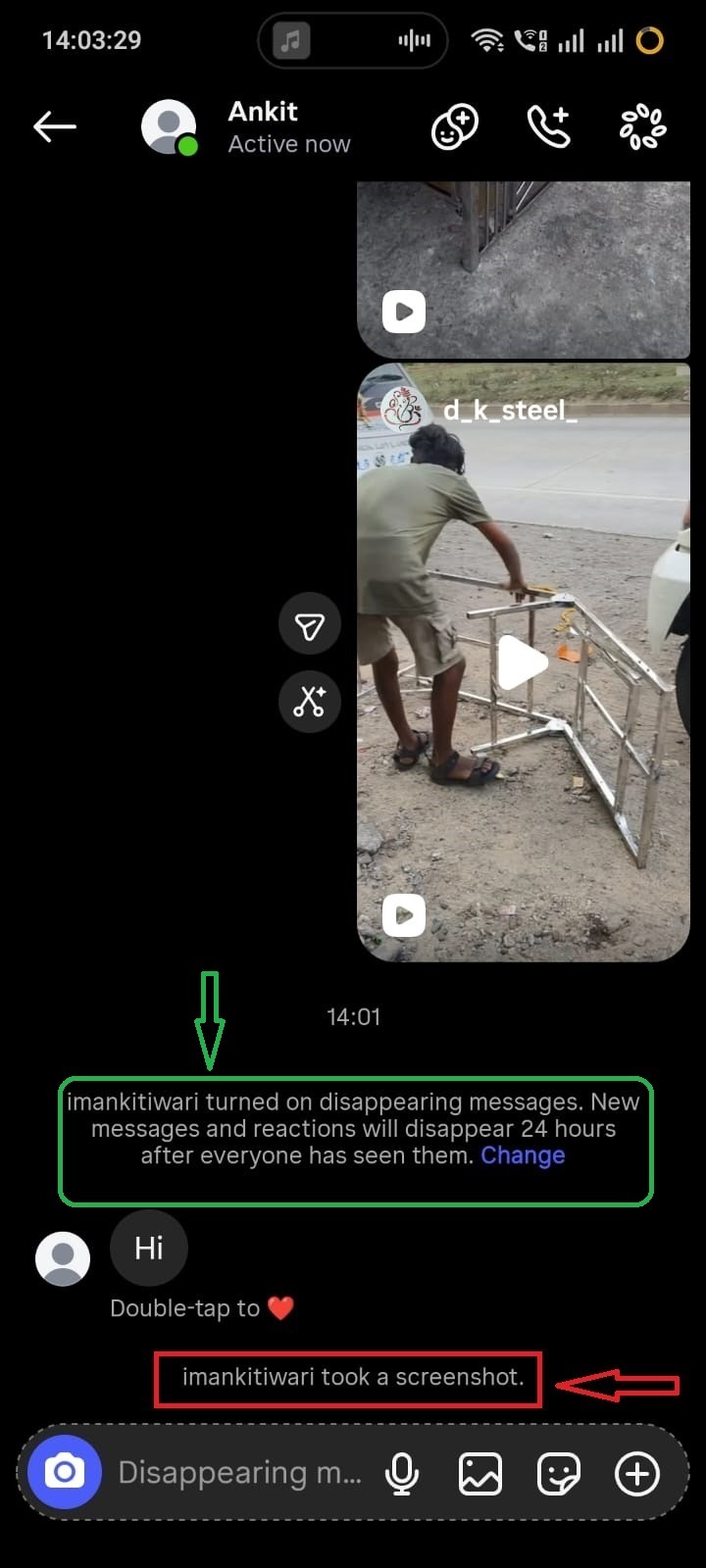
This is part of Instagram’s privacy protection system for disappearing content.
Does Instagram Notify Screenshots of Close Friends Stories?
No. Even for Close Friends Stories, you cannot find out if someone has captured your stories posted in your private circle or “close friend” zone. They are free to take screenshots without you knowing.
How Can Someone Tell If You Screenshot Their Instagram Story?
There is no single indicator to find if an Instagram story is screenshotted. This feature is absolutely anonymous. The only way is when you have enabled vanish mode or sent messages or media in disappearing mode.
Generally, Instagram keeps story screenshot activity private.
Does Instagram Notify Screenshots of Other Content?
| Content Type | Notification? |
| Stories | ❌ No |
| Posts | ❌ No |
| Reels | ❌ No |
| Highlights | ❌ No |
| Profiles | ❌ No |
| Regular DMs | ❌ No |
| Disappearing Photos in DMs | ✅ Yes |
| Vanish Mode | ✅ Yes |
Instagram Screenshot Notification Myths vs Facts
| Myth | Reality |
| Airplane mode prevents detection | ❌ Irrelevant |
| Screen recording is detected | ❌ No |
| Instagram logs all screenshots | ❌ No evidence |
| Story screenshots are notified | ❌ False |
| DM screenshots are always hidden | ❌ Only some cases |
What Happens If You Screen Record an Instagram Story?
Screen recording behaves the same as screenshots:
- No notification for Stories
- No alert for Highlights or Posts
- Only disappearing DM content may trigger alerts
Instagram does not distinguish between screenshot and screen recording for Stories.
How to Save an Instagram Story Without Screenshotting
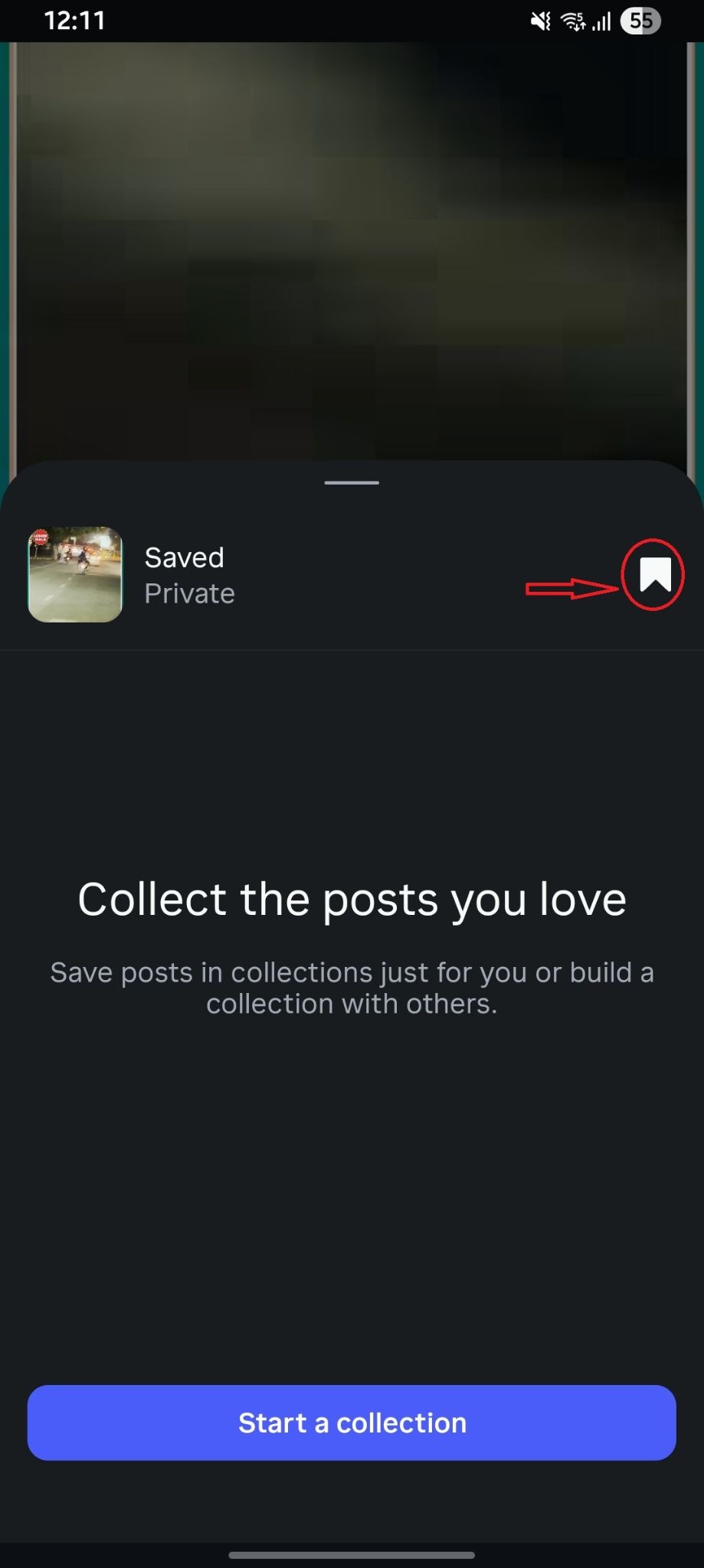
If you want a safer alternative, you can use the ‘Save’ or Bookmark icon.
Use Instagram’s “Save” feature (for your own posts)
You can use Instagram’s bookmark feature to save particular content on Instagram. Instagram calls it the “Collect the posts you love” feature. When you click a post’s save icon, a new pop-up appears, and it says “Start a collection” CTA. You can name the post and tap Save. I saved a post on Instagram, and it looks like this:
Frequently Asked Questions (FAQs)
Q1. How do I find out who screenshotted my story?
Ans: For normal DMs and stories, it’s not possible to know who has captured it. The only way is when the disappearing messages are sent, or vanish mode is enabled.
Q2. Can someone see if I screenshot their Instagram Story?
Ans: No, Instagram does not notify story screenshots.
Q3. Does Instagram notify screen recording?
Ans: No, like stories or posts, not even screen recording is notified on IG.
Q4. Can business accounts see screenshots?
Ans: No. Business accounts do not get screenshot notifications for normal Stories.
Q5. Can I save a story without the original poster knowing?
Ans: Yes, you can screen record or capture a story as an image without the original poster knowing about it.
In The End
As of 2026, Instagram does not notify users when someone screenshots a Story, either Close Friends Stories or Highlights. This applies to all standard public content such as posts, reels, and profiles. The only exceptions are disappearing photos/videos in Direct Messages and Vanish Mode, where Instagram may send alerts for privacy protection. For everyday browsing, Story screenshots remain completely private. Other than stories, if you want to save content on Instagram, use the “Save” icon under the post instead of screenshotting it.